Apartments & Residences

AJ-Corp

One system for your whole building — from units to the ledger, connected to the parking barrier and unit door locks, complete for every department.

± 4 minutes · background music · arrows / swipe to navigate · F for full screen

Narrated by EDI
AJ-CorpApartments & Residences IDENKOJAAR Sign out ×
01 — Behind the management desk

Every day, dozens of things happen at once.

An AC-leak complaint comes in from a resident's phone, a guest car queues at the barrier, the service-charge bill has to go out, a new unit access card is requested, the night patrol is running — and all of it has to be in the report before this month's books close.

  1. AC leak complaint · Unit H-512
  2. New unit door access card issued
  3. Guest enters · parking ticket · B 1620 DOT
  4. Floor 5 patrol · 12/12 points
  5. Water pipe leak · routed to Maintenance
  6. Package arrived · Unit H-204
  7. Daily report sent · journal posted automatically
02 — One platform

Every team, one source of truth.

Units & residents, office, HRIS, security, parking, access cards, stock and accounting run in the same system — data flows on its own, with no double entry and no reports scattered across WhatsApp.

AOne system Units & Residents Office & Finance Access Cards Parking & Barriers Security HRIS & Staff Store Room Accounting
03 — Units & Residents

Every unit, owner, tenant and resident, neatly recorded.

  • Unit status, lease history and documents (ID, family card, contract) in one record
  • Owner, Tenant & Resident per unit, complete with lease dates & family relations
  • Duplicate Data automatically flags matching names — merge once and the record stays single
  • Tenants who move out go to the Tenant Archive — their history is kept and can be restored
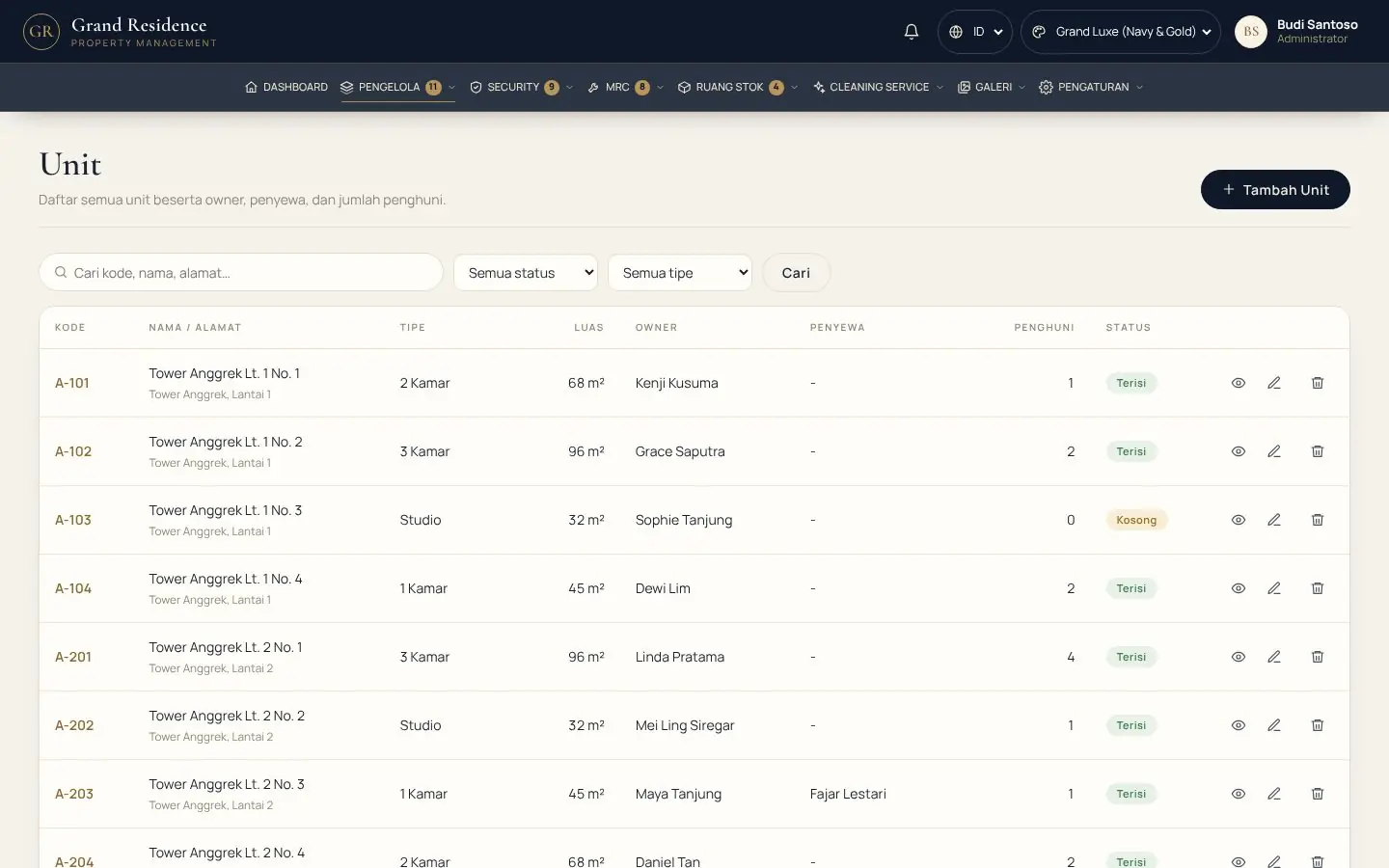
demo.ajcorp.id/units
Unit list in the Apartment & Residence system
04 — Leases under control

No lease ever expires unnoticed again.

  • Expired leases are flagged red "N days overdue", those ending soon "N days left"
  • Alerts appear for management, Office & HRIS — and on office staff phones
  • One click: Change lease period (extend) or Lease ended — recorded in the Activity Log
  1. Lease 3 days overdue — please check
  2. Lease ends in 5 days
  3. Lease ends in 9 days
  4. Tenants · 3 need attention
  5. Extended by 1 year · alert cleared
05 — Unit Map

The whole building on one screen — one row per floor.

  • Card lights: gold = owner lives in the unit, blue = tenant, grey = vacant
  • MRC, facility bookings, room bookings & orders flagged right on the unit card
  • Build your own layout: tower, wing & floor names — drag cards with the mouse and they stay locked in place
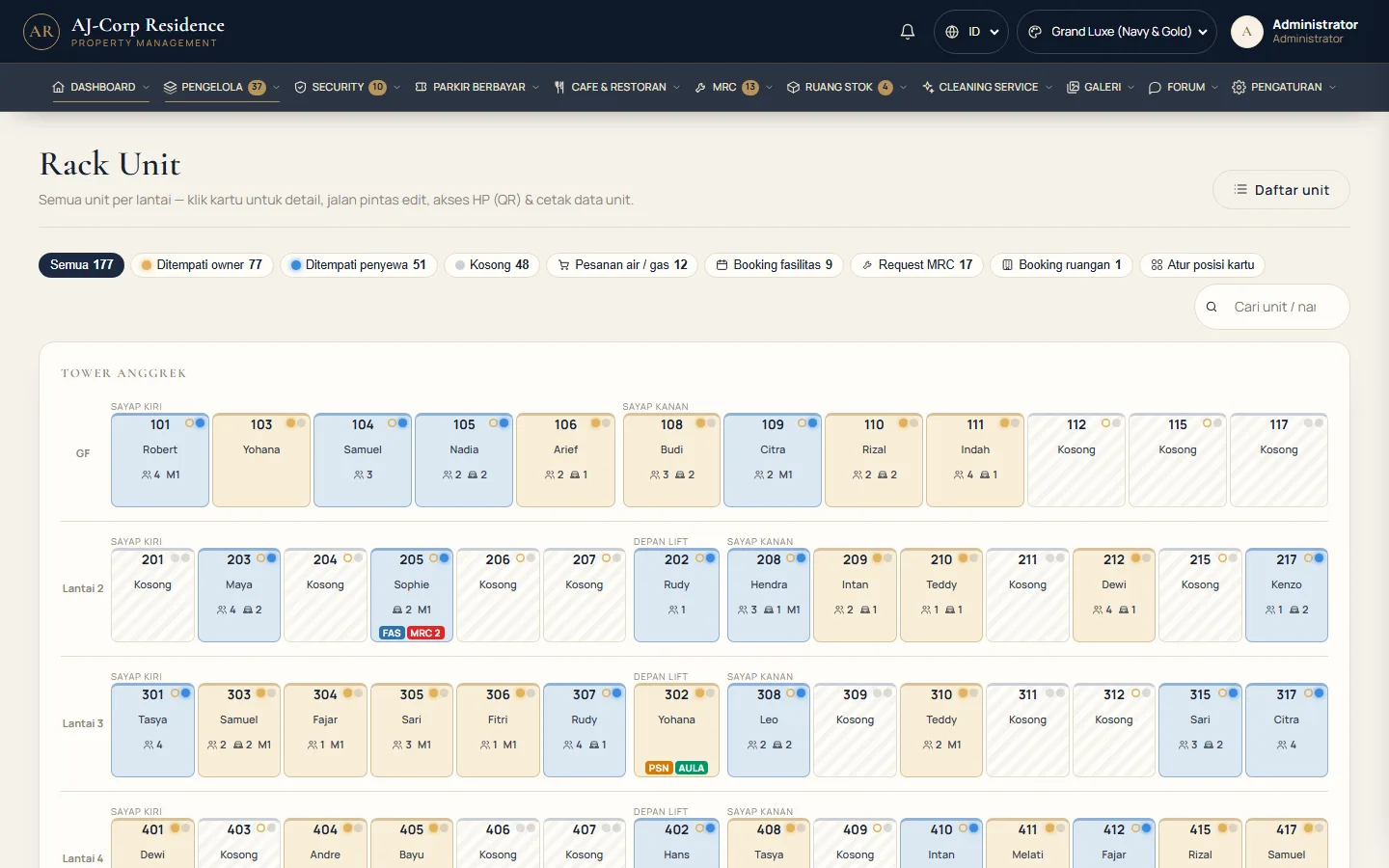
demo.ajcorp.id/unit_rack
Unit Map: every unit, floor by floor
06 — Click a card, everything opens

Owners, tenants, family, vehicles — without leaving the page.

  • Shortcuts: edit details, add tenant, family, access cards, documents, unit MRC
  • Vehicles with photos; the 2nd car onwards gets the extra fee automatically
  • Whether the owner lives in the unit — set it one by one or for all units at once
  • Print each unit's data on your own building letterhead
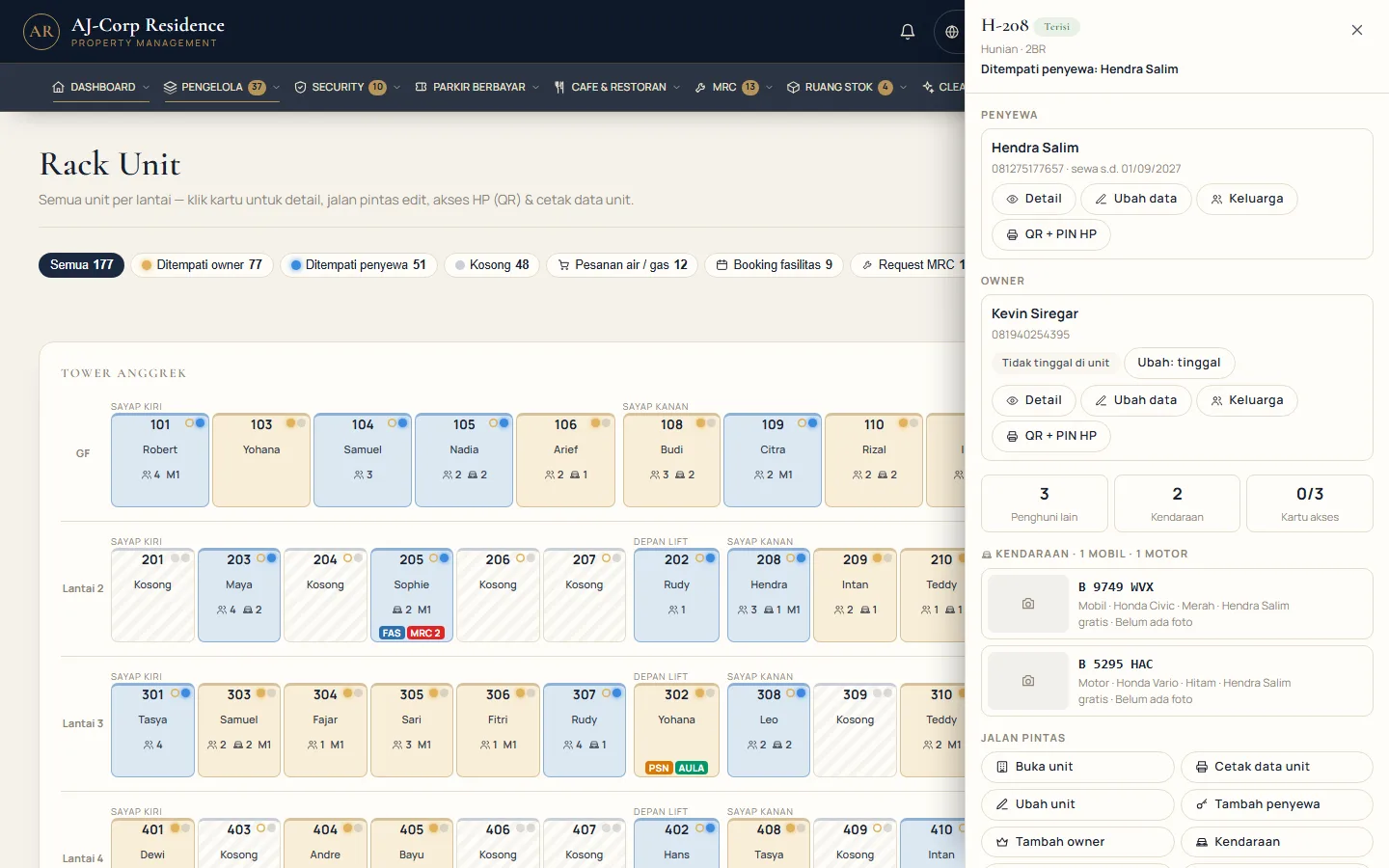
demo.ajcorp.id/unit_rack
Unit details from the Unit Map card
07 — QR + PIN for new residents

Phone sign-in as easy as a hotel guest: scan the QR, type the PIN, done.

  • A Welcome Letter on your letterhead: sign-in QR, 6-digit PIN & the services they can use
  • Print it, save it as PDF, or send it straight to the owner's / tenant's WhatsApp
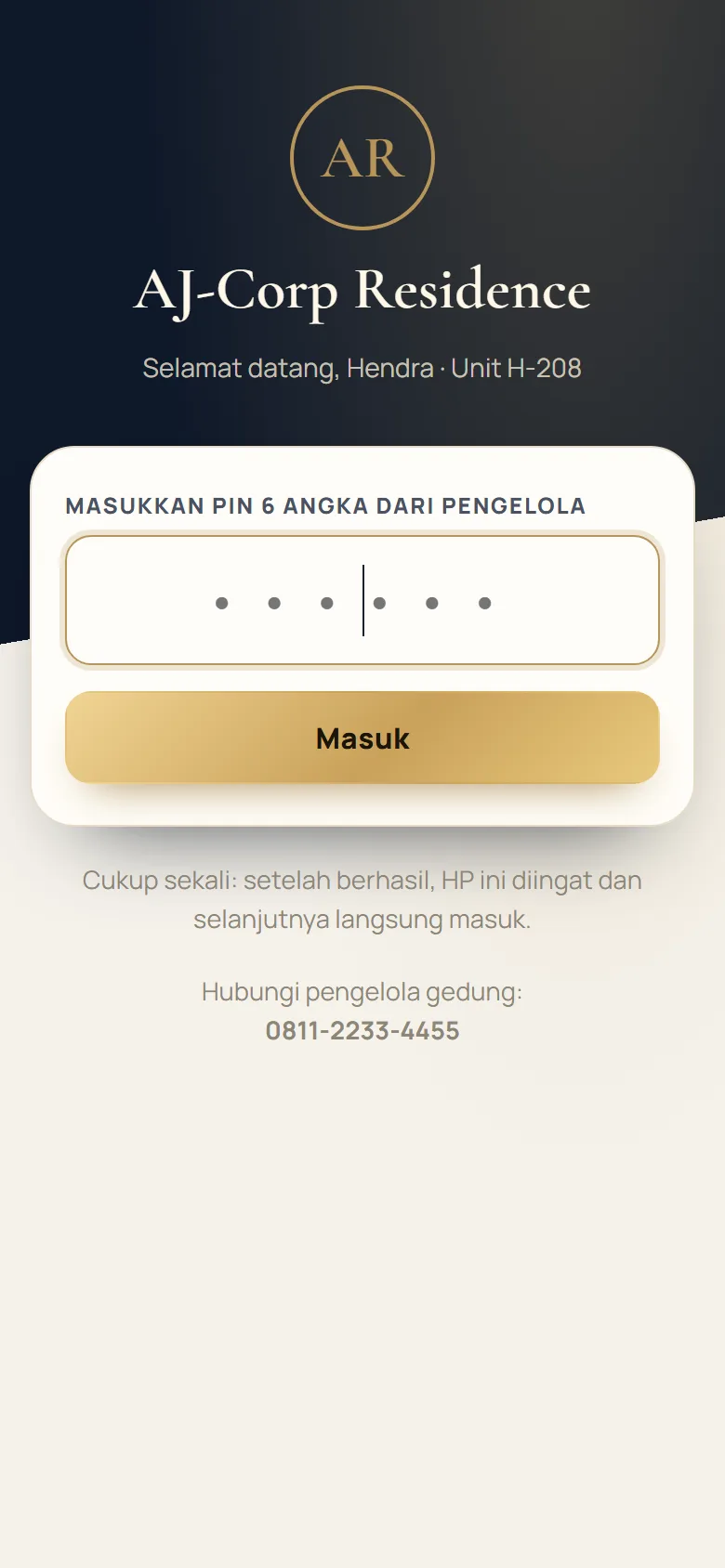
  • Just once — after that the resident's phone signs in without a password
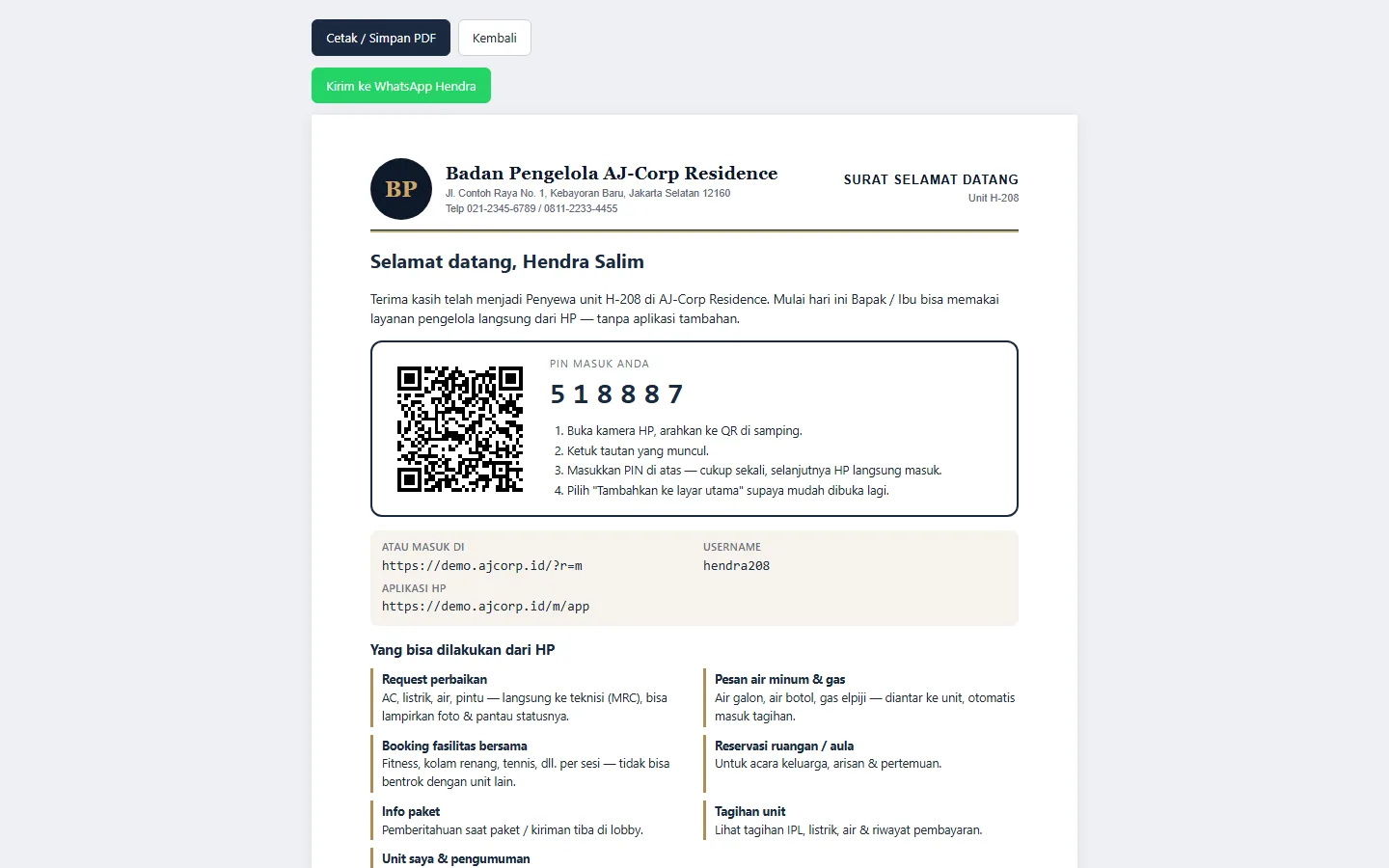
demo.ajcorp.id/mobile_user/welcome
Welcome Letter with QR & PIN
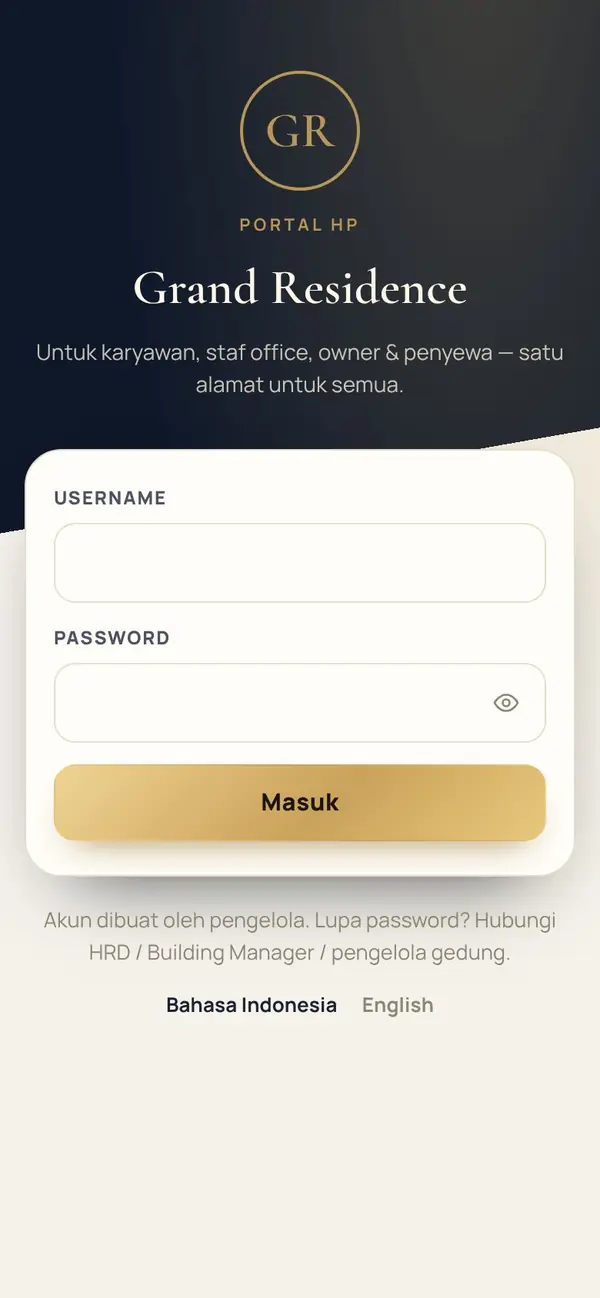
Signing in with a PIN on the resident's phone
08 — Office & Finance

Bills issue themselves, meters are logged with photos.

  • Monthly service-charge bills generated automatically, residents pay by QRIS
  • Electricity & water meters logged from a phone, with meter photos and weekly usage averages
  • Every payment is recorded instantly — no more manual month-end reconciliation
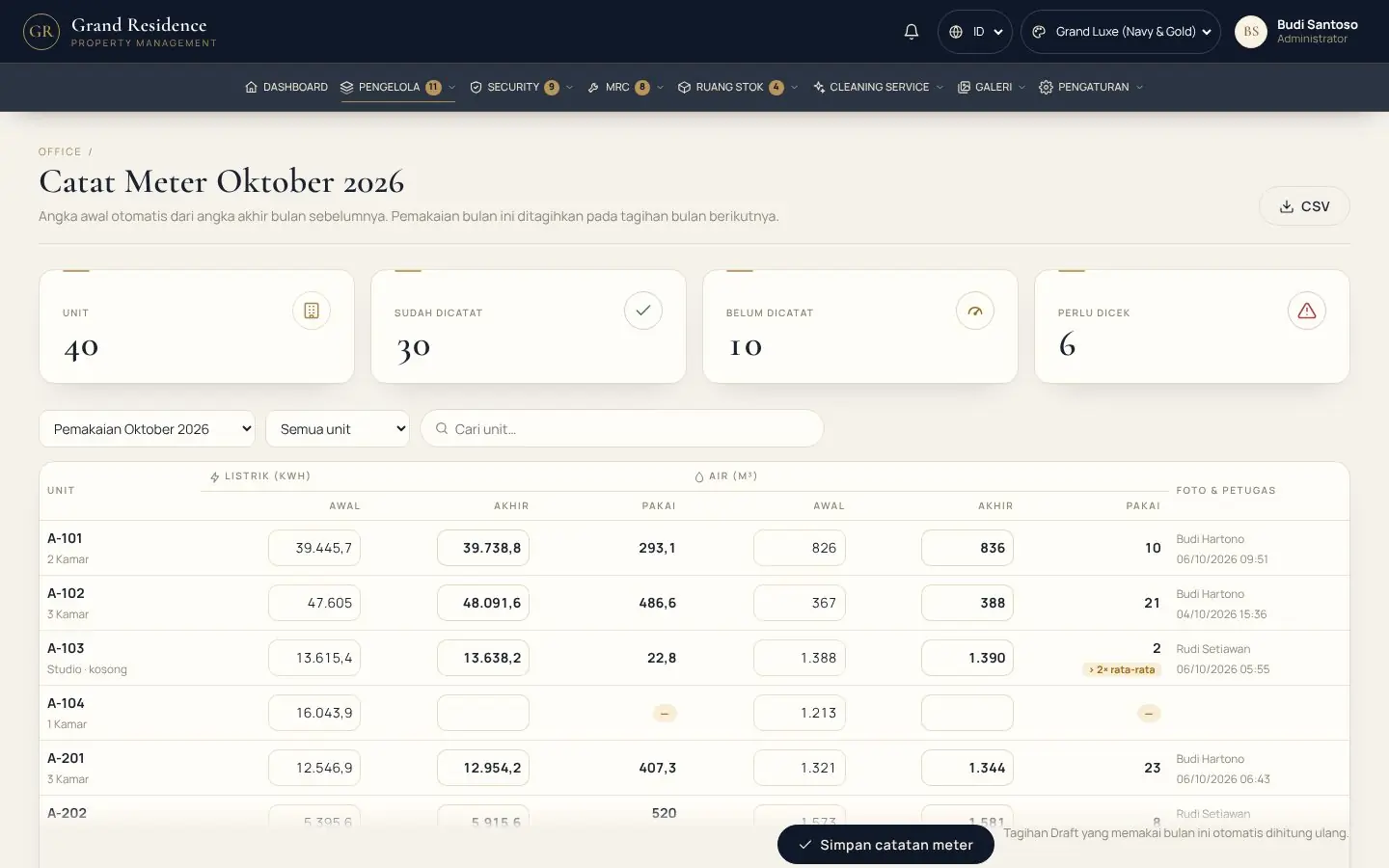
demo.ajcorp.id/office/meters
Logging electricity & water meters with photos
09 — Paid Parking

Residents pass through free, visitors pay by the hour.

  • Registered resident vehicles are recognised at the gate — free entry and exit automatically
  • Visitors: barcode tickets, hourly rates, daily caps & lost-ticket fees — configured in the back office
  • Pay by cash, dynamic QRIS or e-Toll / e-Money — receipt printed, barrier opens
B 1620 DOT
Lobby Entry GateB 1620 DOT Registered resident — FREE · Unit H-811
10 — AJ Park Bridge

A plugin for the parking hardware your building already has.

A small program on the gate PC links the gate screen to the ticket printer, barrier, cameras and card readers — all configured from the back office, with a one-click "Test device" button.

Thermal ticket printerESC/POS 58 / 80 mm · USB (Windows), LAN port 9100, or serial COM
Parking barrierRelay controller via COM / RS-232, TCP, HTTP, or vendor program
Parking IP cameraVehicle photos taken automatically on entry & exit, compared at the exit gate
Plate reader (ANPR)Plates read automatically from the camera / ANPR server over HTTP
e-Toll / e-MoneyBank cards tapped on the reader — via vendor program / SDK or a local service
Dynamic QRISA QR carrying the bill amount, generated automatically from the building's static QRIS
API & webhookConnects to the vendor's parking system: resident plate list, entry / exit logging, HMAC signatures
Straight into AccountingDaily parking revenue & payment methods recorded in the journal automatically
11 — Access Cards & Unit Door Locks

One click at the management desk, the card is ready at the encoder.

AJ Key Bridge connects this system to the door-lock encoder your building already uses. When a tenant moves out or a lease ends, unit door access is revoked automatically — no manual lock change needed.

ASSA ABLOY VingCarddormakaba SaflokOnityMIWASalto ProAccess SPACEHune

Protocols: FIAS (Oracle Fidelio) · Salto SHIP · REST API · Vendor SDK / program · auto-typing

ENCODER · MANAGEMENT
AJ-CorpUnit H-811
Card encoded · Unit H-811 · request completed automatically
Management AJ Key Bridge Encoder
12 — Security

Building patrols that can't be faked.

  • QR stickers at every point: lobby, each floor's corridor, shared facilities, basement & parking, building perimeter
  • QR scan + area photo required · the next zone unlocks once the previous one is 100%
  • Only the Chief of Security can set zones & points — guards just scan
Lobby & Guard Post Unit Corridors Shared Facilities Parking Area Basement Building Perimeter Patrol 100% · thank you, stay alert
13 — Security × every department

Reports travel from the corridor to the right department — in seconds.

Security photographs incidents from their phones. The system routes each by type: damage becomes a Maintenance job (MRC), resident complaints go to Office, cleanliness to Cleaning Service, emergencies to Building Management. Departments tap Accept & Done from their own phones.
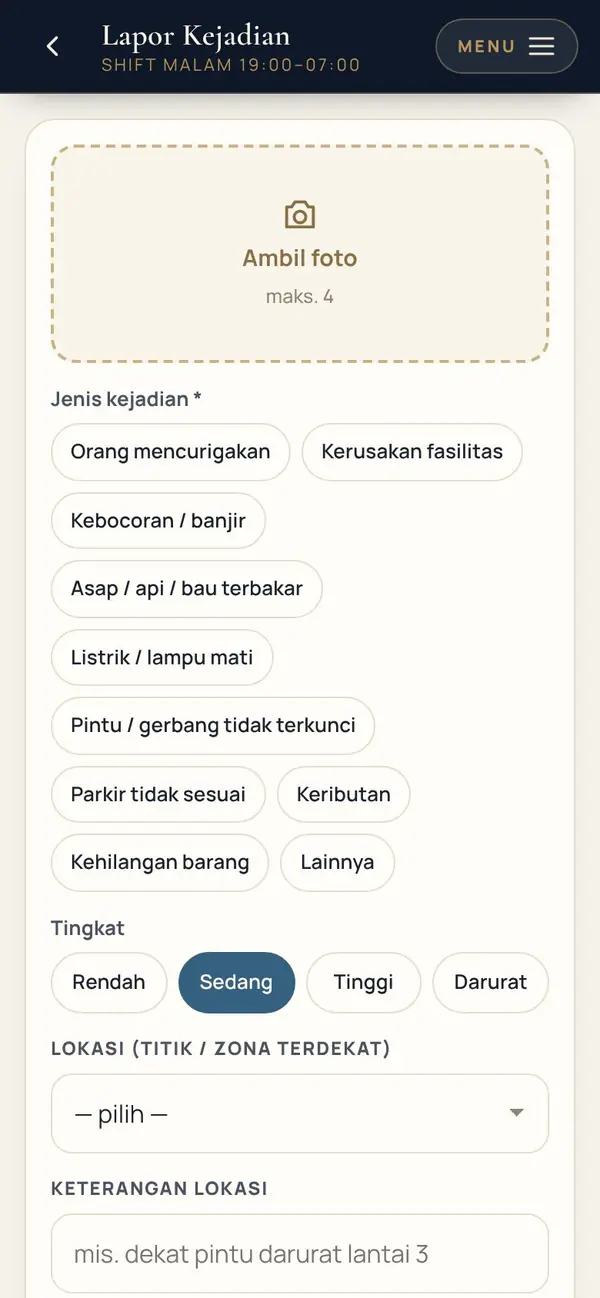
Incident report from a security phone
Technicians (MRC)Automatic work orders OfficeResident complaints & bills Cleaning ServiceCleaning & common areas Building ManagementHigh-priority & emergency incidents
14 — Centralised daily reports

Security, Maintenance & Cleaning Service each report from their own phone.

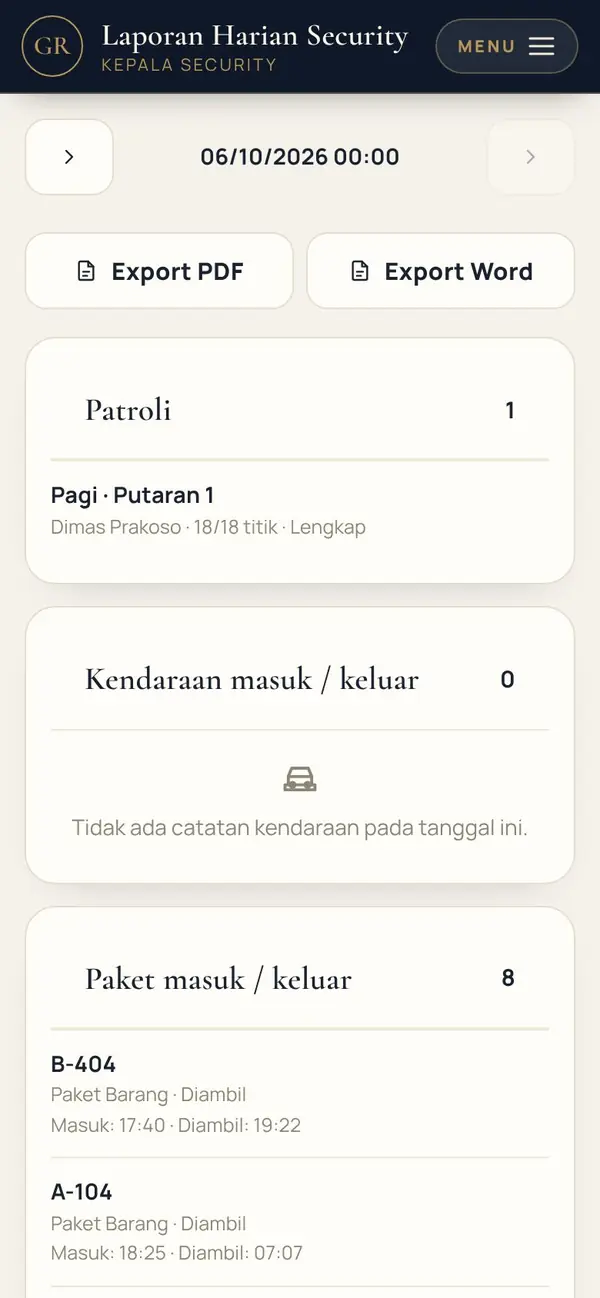
  • The day's figures, automatically: vehicles, packages, patrols, jobs completed, areas cleaned
  • Per-shift reports with photo evidence — filled in from the phone, no need to head back to the office
  • Daily, weekly and monthly roll-ups build themselves — just export to PDF / Word
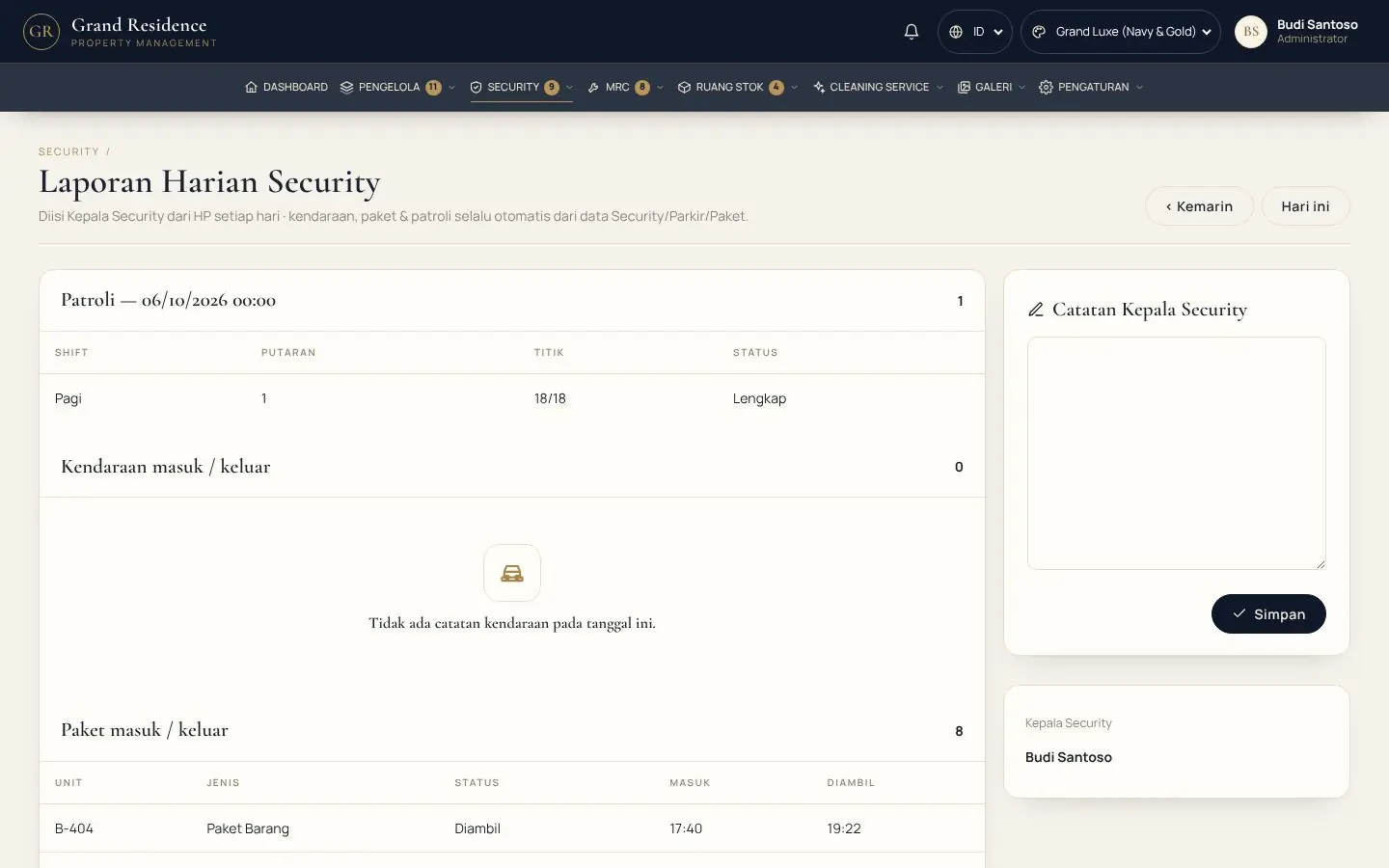
demo.ajcorp.id/security/daily_report
Security daily report
Daily report from a Security phone
15 — Performance Report

Everything that happened in the building today, in one report.

  • Staff attendance, new residents & vehicles, orders, bookings, security and technicians — collected automatically
  • The Front Desk writes per-shift notes for the handover
  • Daily, weekly & monthly — export to PDF / Word on your building letterhead
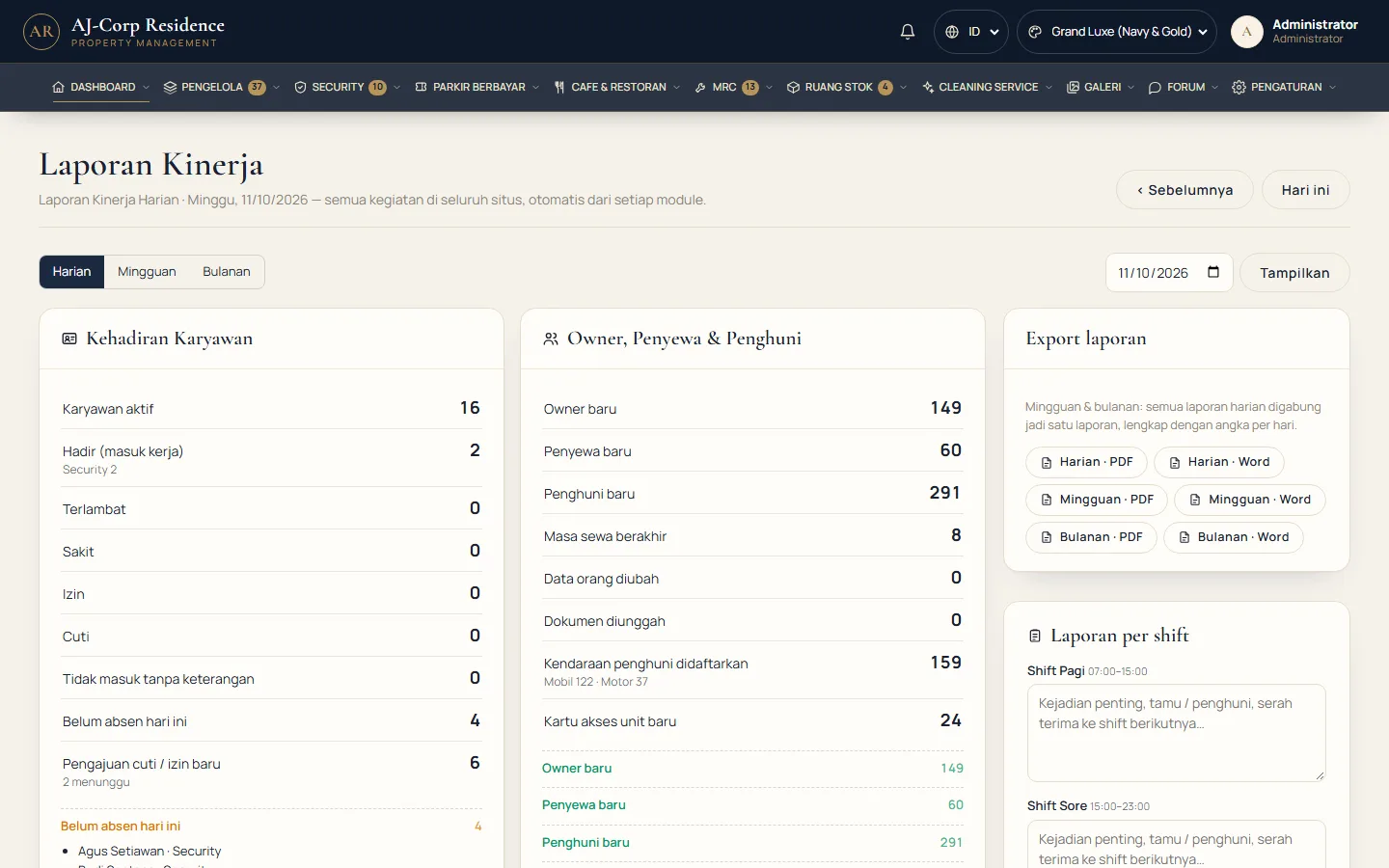
demo.ajcorp.id/kinerja
Daily Performance Report
16 — Manual Facility Booking

The Front Desk booking book — now clash-free.

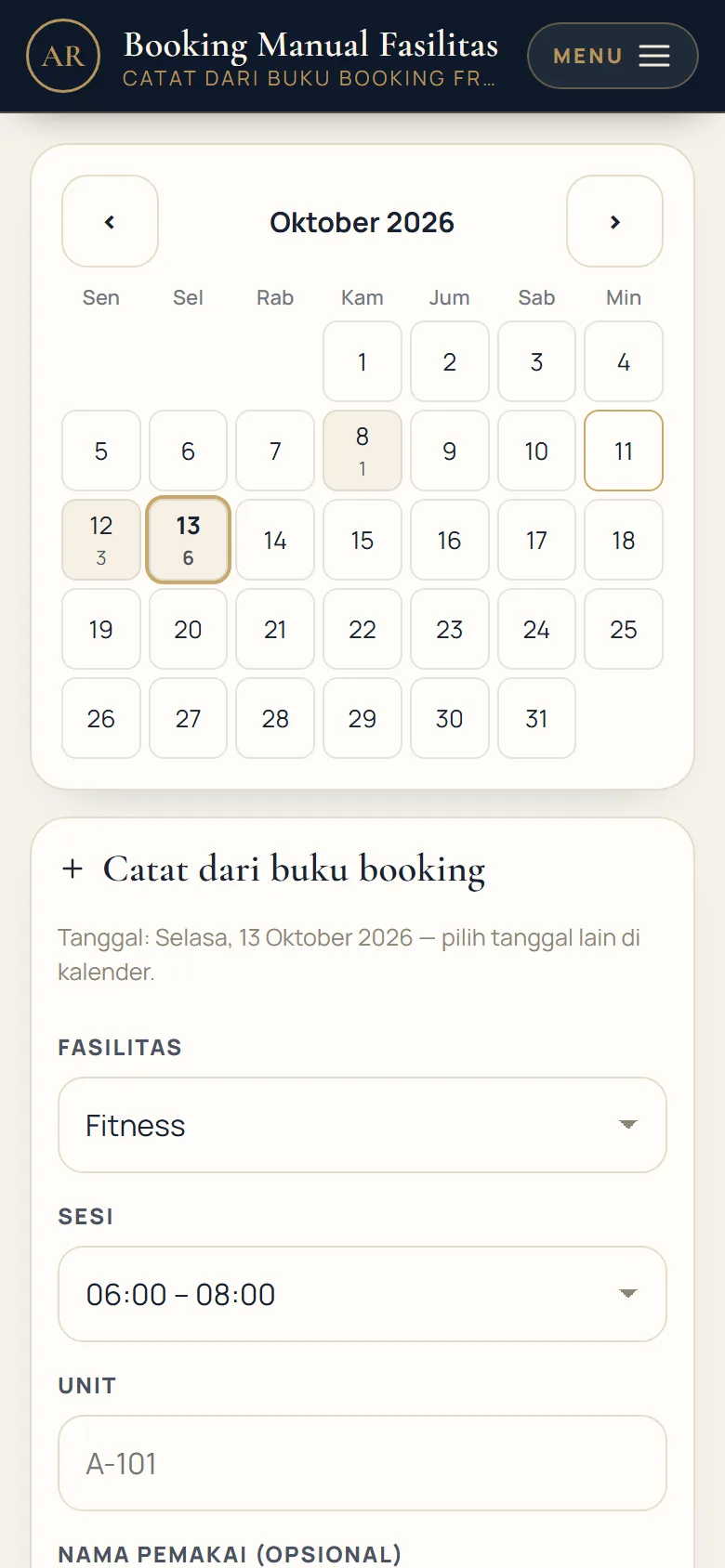
  • Record gym, pool, tennis & other facility bookings from the Front Desk book
  • One calendar shared with bookings from residents' phones — double bookings are flagged instantly
  • Any staff member can record them, from the Dashboard or from their phone
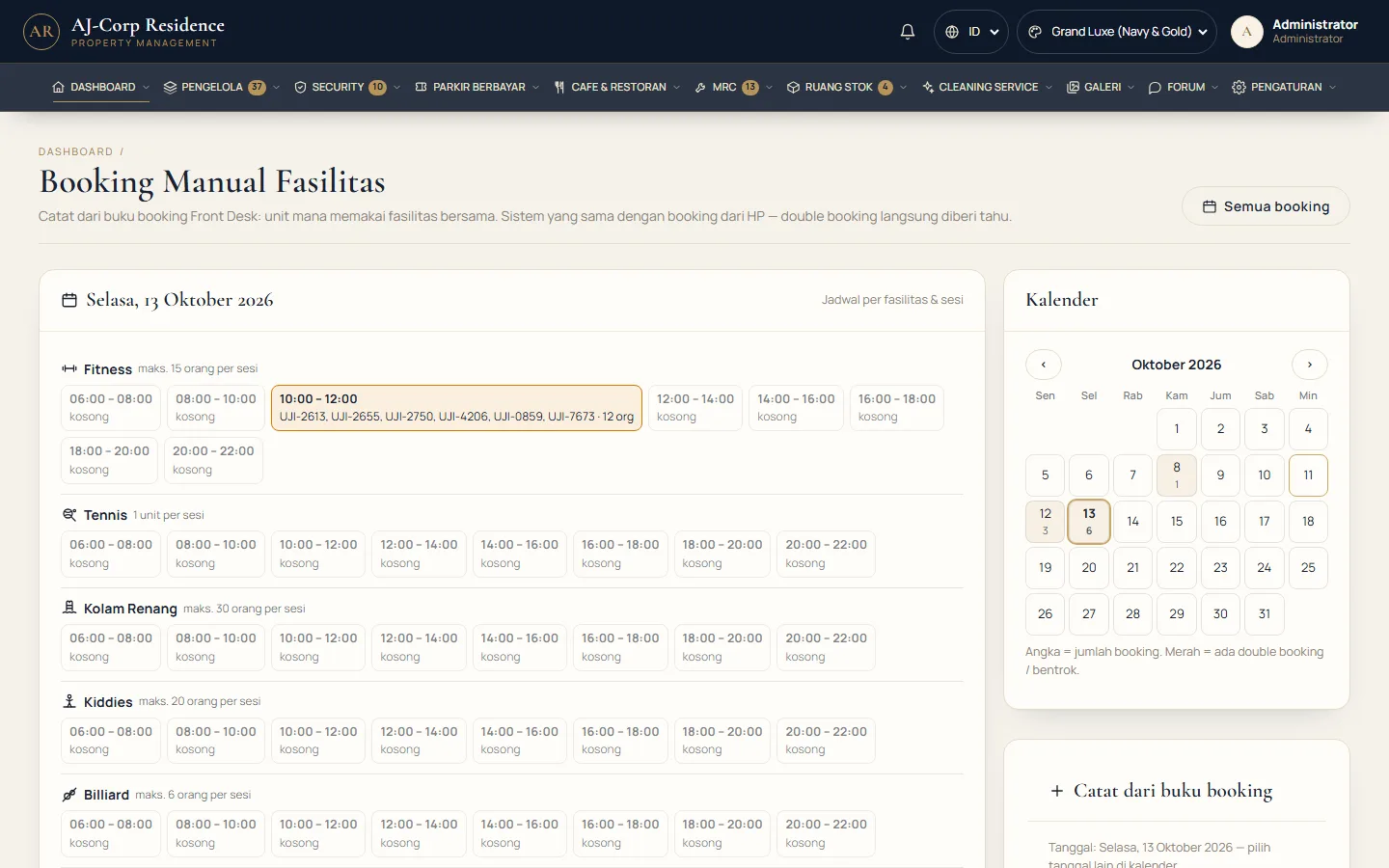
demo.ajcorp.id/fasilitas/manual
Manual Facility Booking with calendar
Manual booking from a staff phone
17 — Staff & HRIS

Face attendance from a phone, not paper or a fingerprint machine.

Every employee clocks in on their own phone with face verification and a location check. Monthly rosters, leave, payslips and attendance records are ready for payroll without being recalculated.
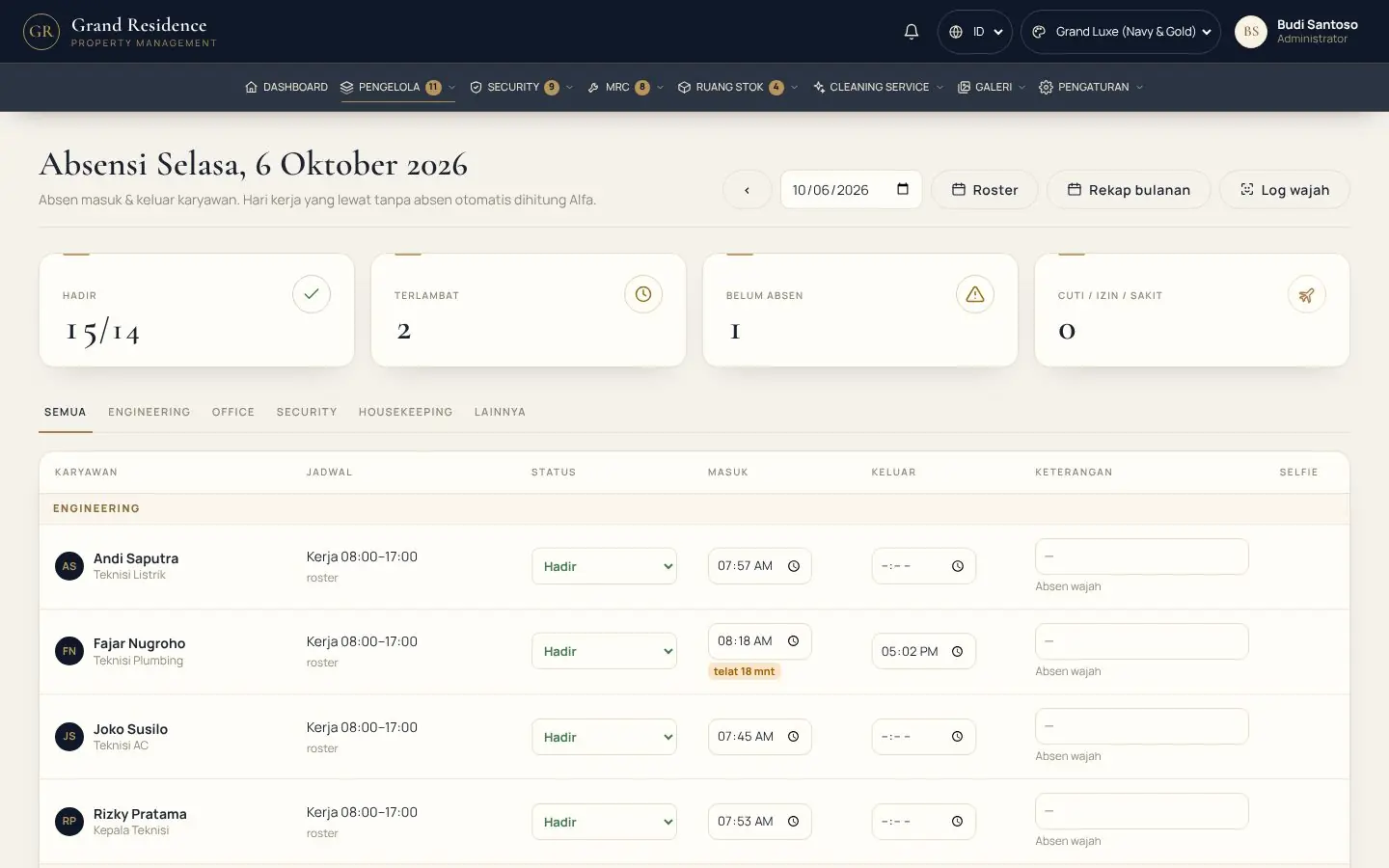
Face attendance Monthly roster Leave & permits Payslips
Staff phone login
HRIS attendance
18 — Department terminals

One tablet per workstation, locked to its department.

The security post, front office, the Office, the warehouse & technicians each have their own tablet. Staff sign in with a PIN or card and open only their department's screens.

PIN / card loginSwitch staff in 2 seconds, with a record of who is on duty
Locked per departmentManagers see only their own department — unless given special permission
Full screenLike a work program — no browser tabs
Install as an appAn icon on the tablet / PC screen that opens straight into the terminal
Print & returnAfter printing, full screen returns automatically
PINs managed by managersManagers manage the staff of their own department
19 — Stock & Maintenance

Technician requests, stock issued from the store automatically.

  • Maintenance jobs (MRC) are scheduled from incident reports or resident requests
  • Parts used reduce the store's stock instantly — never logged twice
  • Low stock and incoming goods are tracked on one dashboard
  • Tool Room: engineering tools are borrowed & returned by scanning a QR on the phone — who has what is always on record
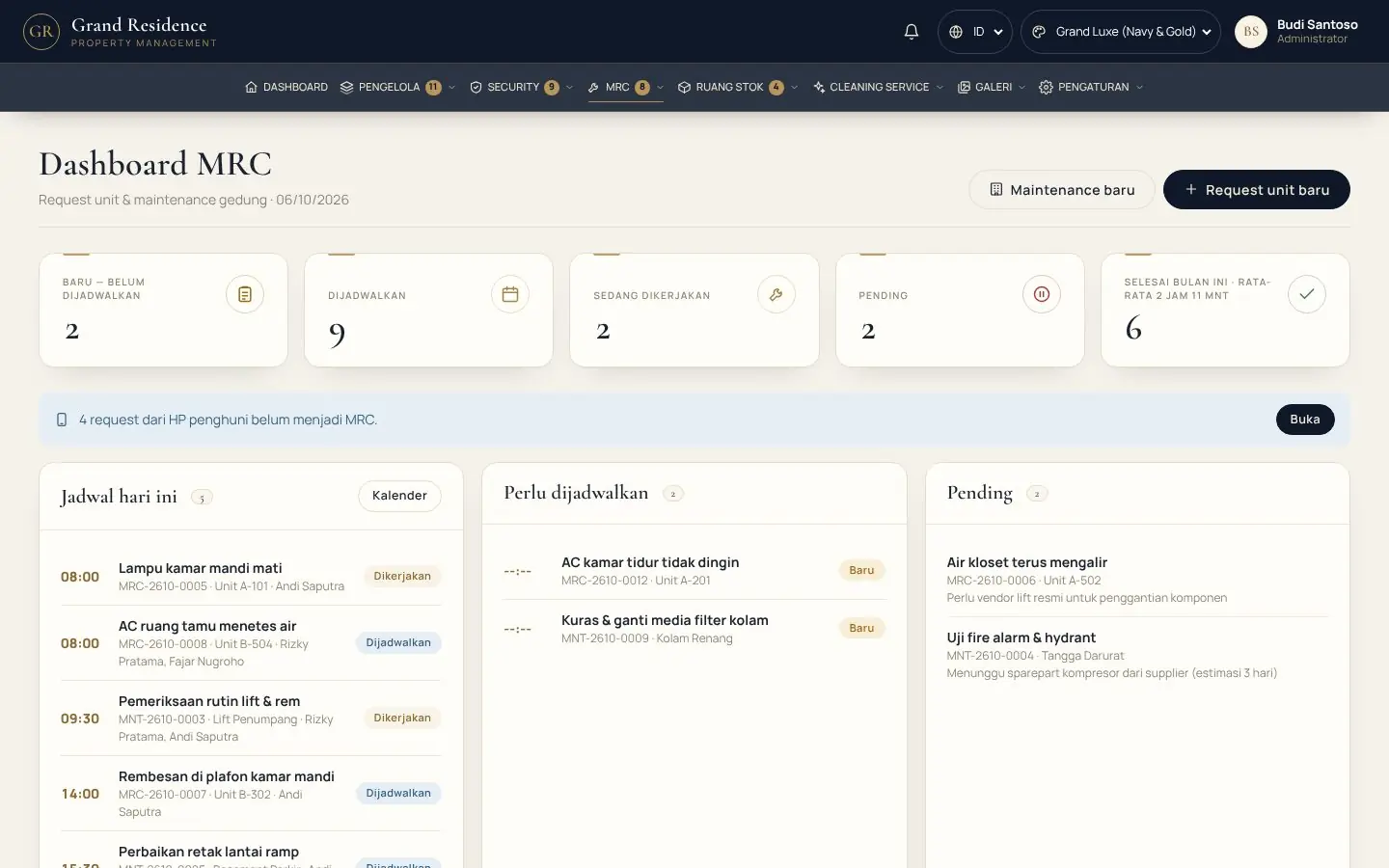
demo.ajcorp.id/mrc
Maintenance (MRC) dashboard
20 — In the resident's hand

Residents handle everything themselves, from their phone.

No app to install — just open it in the phone's browser. Pay bills, file complaints, book shared facilities and track incoming packages, in the resident's own language.
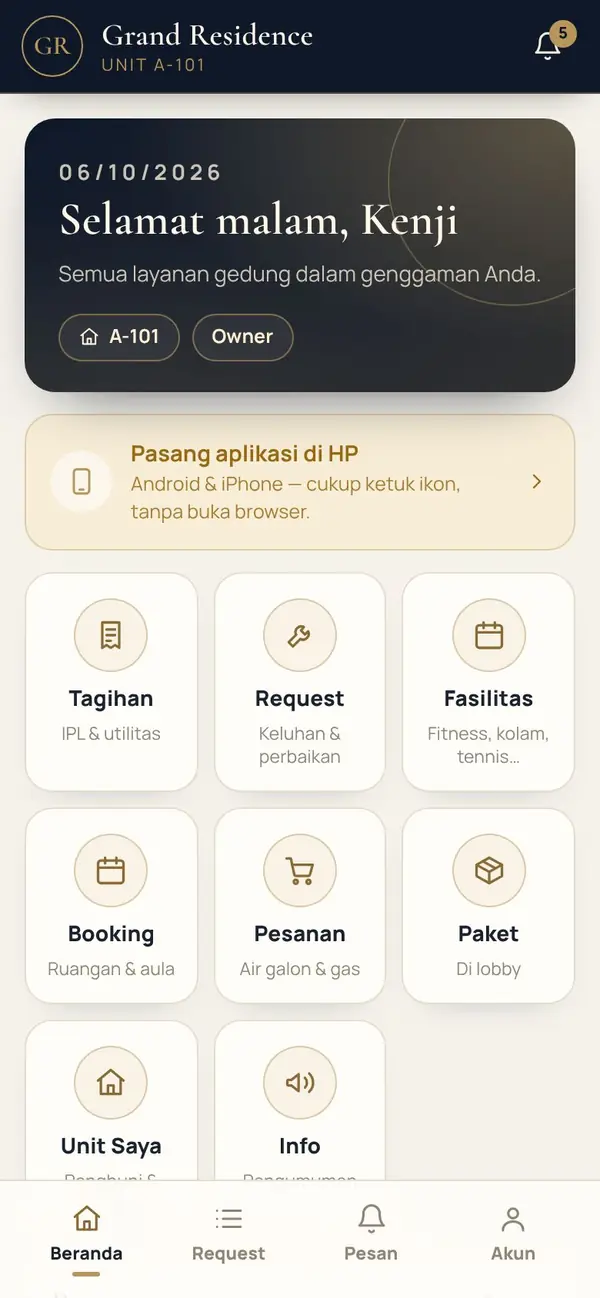
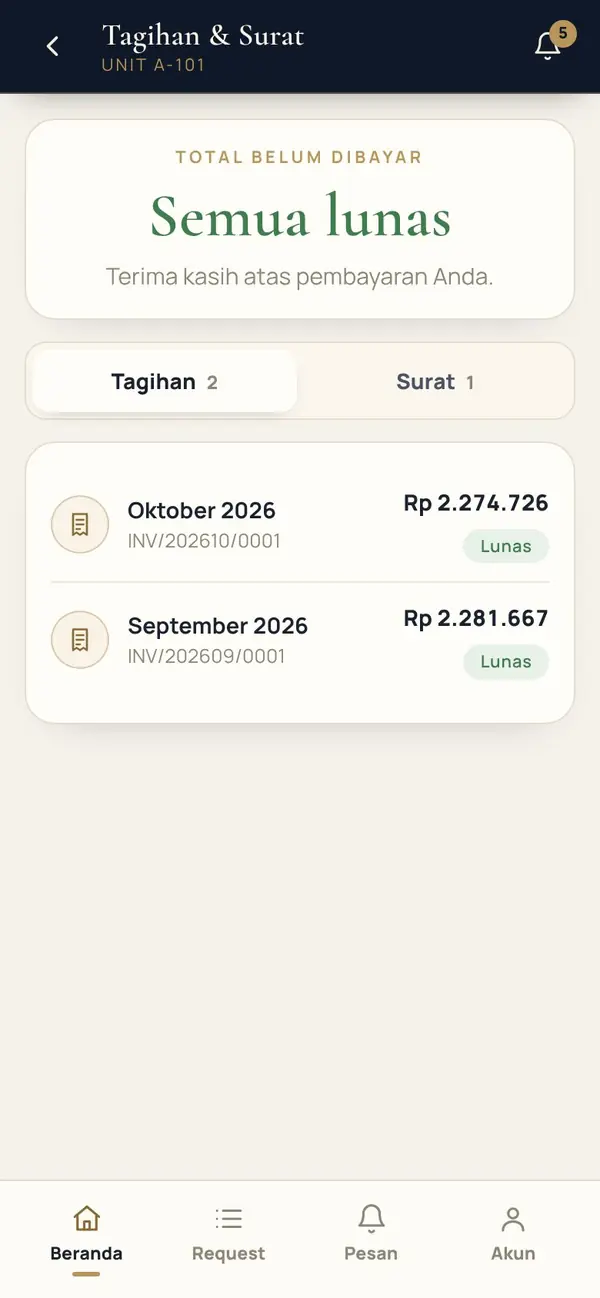
Bills & QRIS Complaints Facility bookings Incoming parcels Sign in with QR + PIN
Resident phone home screen
Bill from a resident's phone
21 — Back office

Books that write themselves.

  • Automatic journals from service charges, parking & stock — balance sheet and P&L ready any time
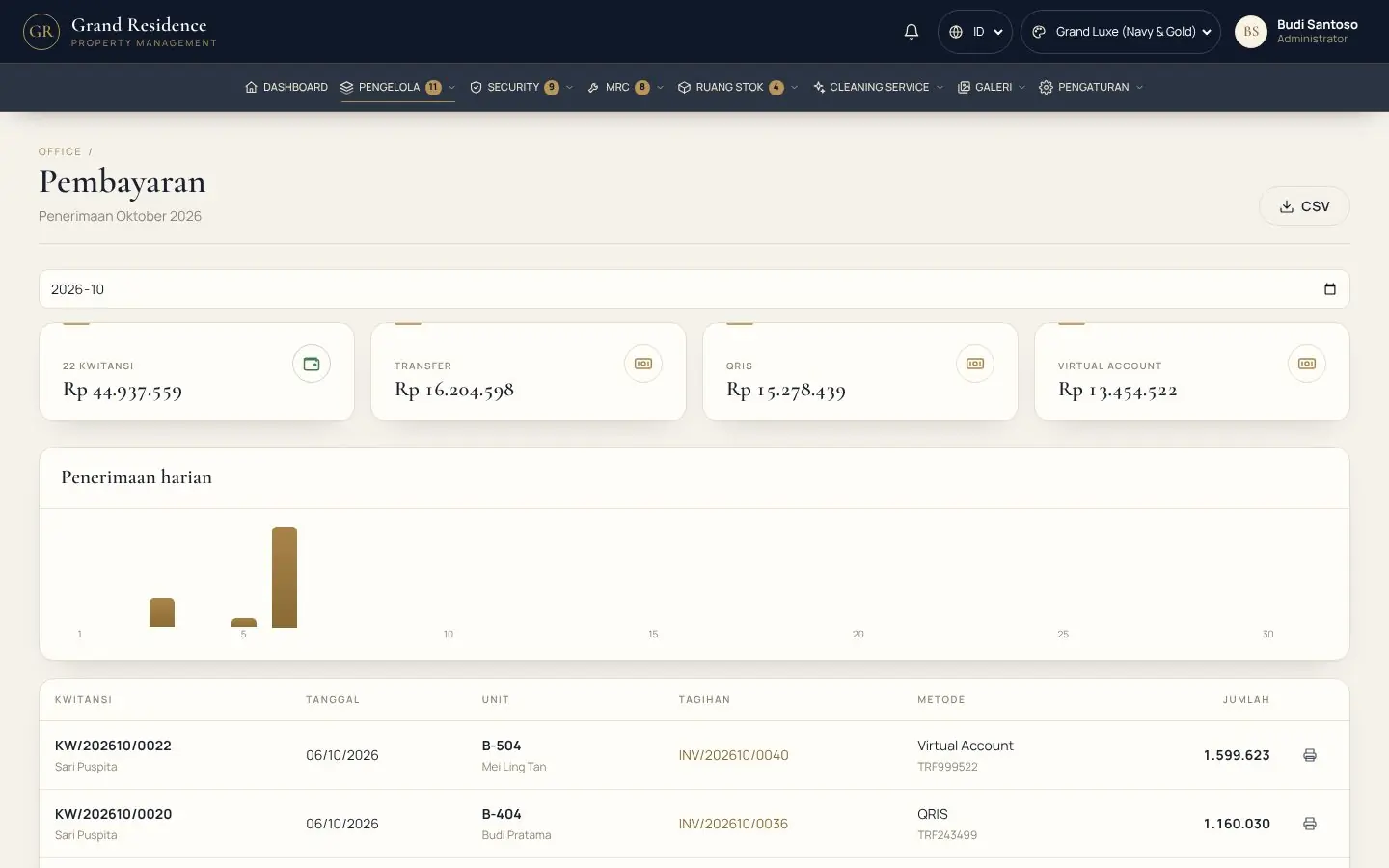
  • Monthly payment, receivables and cash-flow reports
  • HRIS & payroll: face attendance, payslips, rosters, staff across every department
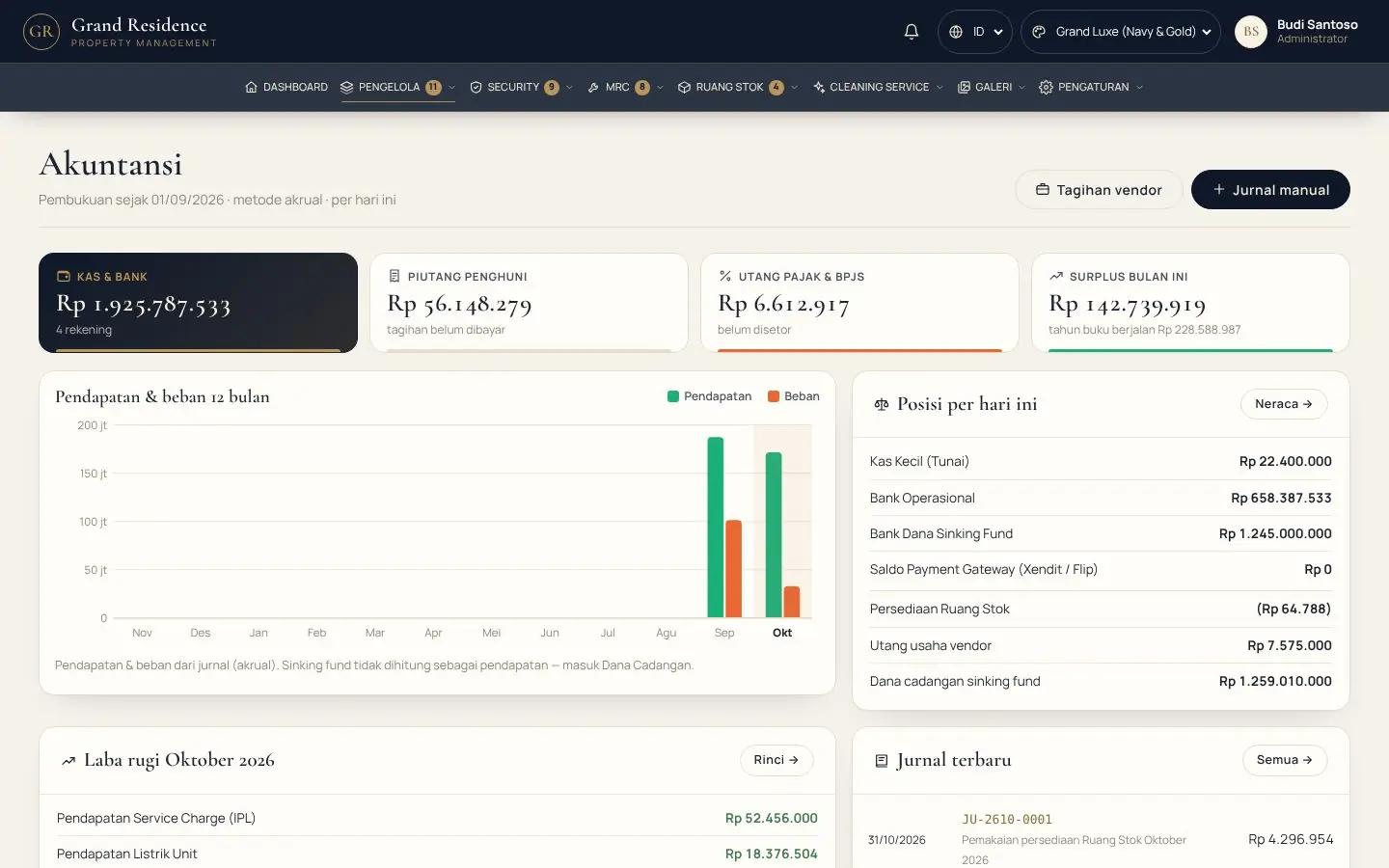
demo.ajcorp.id/akuntansi/jurnal
Automatic accounting journals
demo.ajcorp.id/office/payments
Resident payment report
22 — Connected to your building's hardware

No need to replace hardware — our system adapts to yours.

Unit door-lock encoderVingCard · Saflok · Onity · MIWA · Salto · Hune
Parking ticket printerThermal ESC/POS, USB · LAN · COM
Parking barrierRelay COM · TCP · HTTP · vendor program
IP camera & ANPRVehicle photos & automatic plate reading
e-Toll / e-MoneyBank card reader at the exit gate
QRISDynamic QR with the bill amount
Face attendance kioskA tablet at the staff entrance
Staff ID cardStaff cards printed from HRIS
Patrol checkpoint QRQR stickers at each point, scanned by security
Shared facility QRResidents scan, booking opens
API & webhookConnects to your existing parking / access card system
Any PC & phoneBrowser — no app to install
23 — Our demo in numbers

Run like a real building.

Data from the Apartment demo — roughly how your building will look on day one.

0Units from the ground floor to the top
0Active residents
0Registered owners
0Security Personnel
0Registered vehicles
0Patrols in the current shift
24 — Apartment & Residence packages

Start with what you need, add more at any time.

An affordable monthly subscription. Modules outside the package can be added as add-ons.

Entry Starter Core For small residences & exclusive boarding houses US$ 104 / month 5 modules included: Vehicles & Parking, Parcels & Deliveries, Room Reservations, Office Mobile, Staff Forum & Discussion + 12 optional add-ons
Most Popular Business Pro Full control for a growing property US$ 273 / month 10 modules included: Vehicles & Parking, Parcels & Deliveries, Room Reservations, Owner & Tenant Mobile, Office Mobile, MRC, HRIS, … + 7 optional add-ons
Premium Enterprise For managers with many towers / a portfolio US$ 541 / month 16 modules included: Vehicles & Parking, Parcels & Deliveries, Room Reservations, Owner & Tenant Mobile, Office Mobile, MRC, HRIS, …

Your building, one system — starting today.

Try our apartment demo yourself, see the packages available, or ask our team directly.

See other presentations →