SMES · For parents

Peace of mind, every school day.

See that your child arrived safely, follow their grades and homework, pay school fees and talk to teachers. All from your phone.

± 3 minutes · background music · arrows / swipe to navigate · F for full screen

Narrated by EDI
AJ-CorpSMES IDENAR Sign out ×
01 — A day with your child

The things you want to know, without having to ask.

Have they arrived at school? How was the test? Who is picking them up? Usually the answers are scattered across class WhatsApp groups and paper notices. With SMES, the news comes to your phone by itself.

  1. Yusuf checked in at school
  2. Math quiz score is in: 86
  3. Yusuf went to the school clinic, the nurse let you know
  4. Announcement: museum trip on Friday
  5. Picked up by an authorised guardian
  6. October fees paid by QRIS, receipt sent
02 — Arrived safely

Know your child made it to school, every morning.

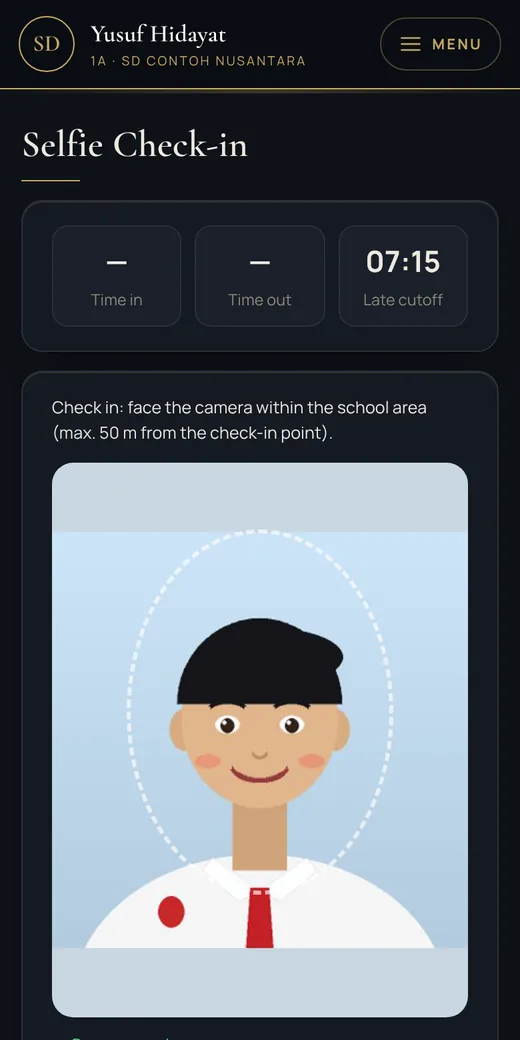
  • Your child checks in with a selfie on their phone, accepted only inside the school grounds
  • Not checked in by 07:15? You get a warning straight away
  • Sick today? Send the reason from your phone, no letter needed
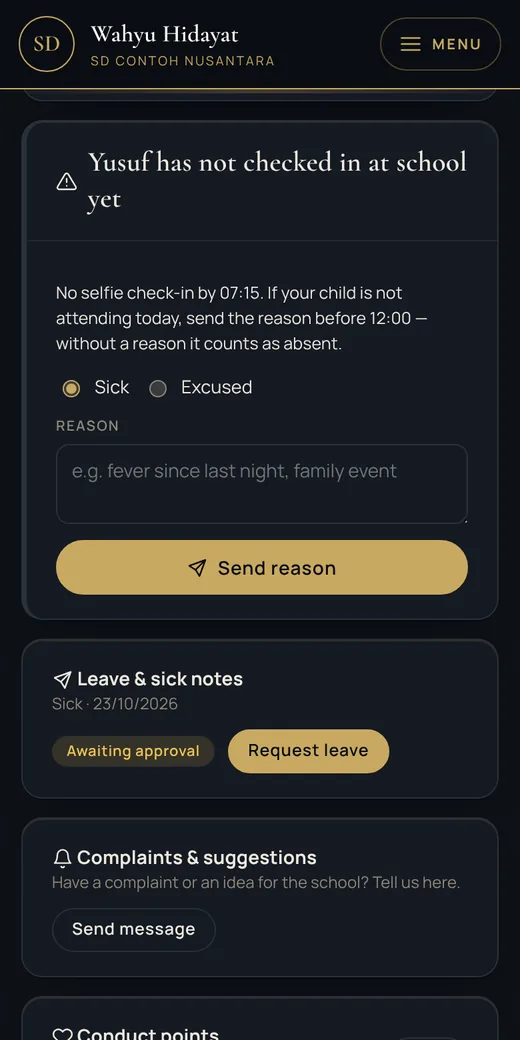
A not-yet-at-school alert on a parent's phone
Selfie check-in on a student's phone
03 — Location when absent

Child didn't make it to school? You still know they're safe.

  • Only if you allow it — an option on the invitation letter and in the Parent Portal
  • Only on days your child is marked absent without notice
  • Your child sees the request and taps the share-location button themselves — no hidden tracking
  • The location appears on your phone (and WhatsApp if enabled), kept for at most 30 days
04 — Your consent decides

You decide, and your child always knows.

ParentsGives or withdraws permission at any time, and sees the child's location on days they are absent.Full control
Your childSees the request in the Student Portal and taps the share button themselves. Nothing happens in secret.Always informed
School staffOnly authorised staff, for the safety of students marked absent.Limited
Everyone elseOther parents, other students and the public never see your child's location.Never

Every permission given or withdrawn, and every location sent, is logged. Locations are deleted automatically after 30 days.

05 — Safe at the school gate

Only the people you register can pick your child up.

  • Authorised guardians are registered for each child and checked at the security post
  • Leaving school early is recorded and you are informed
  • School clinic visits and any medicine given are reported to you
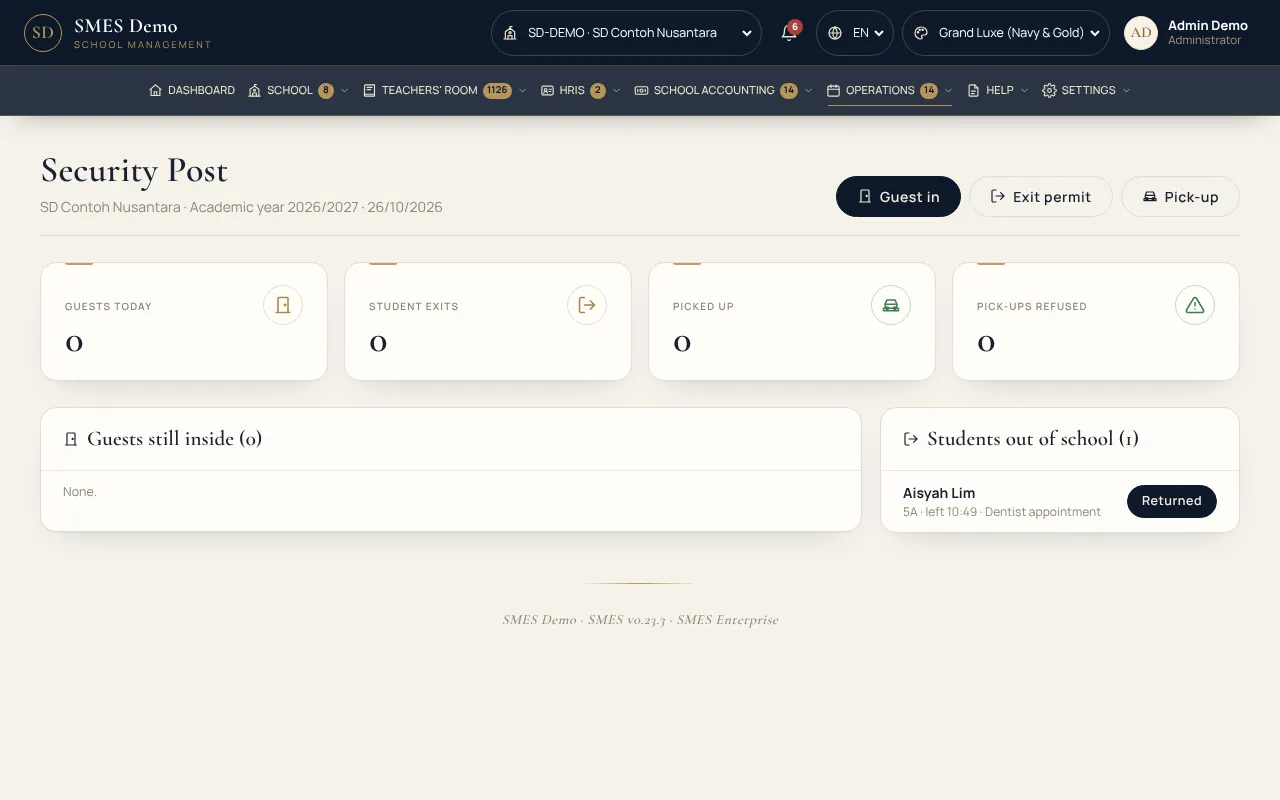
school.ajcorp.id/security
School security post
06 — Supporting their learning

Support your child's learning all term, not only on report day.

  • See every assignment and quiz score as soon as the teacher enters it
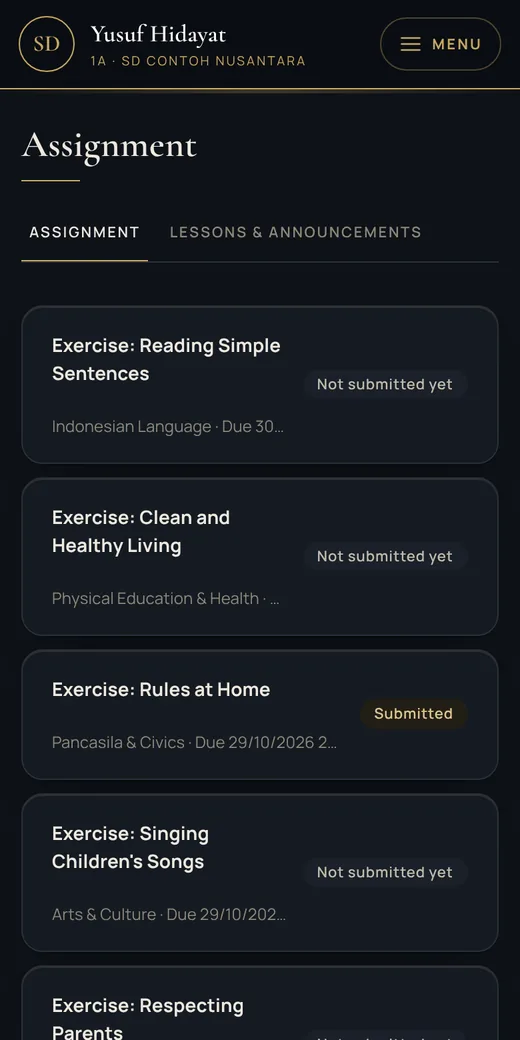
  • Know which homework is due and what has been handed in
  • Report cards appear on your phone once the school publishes them
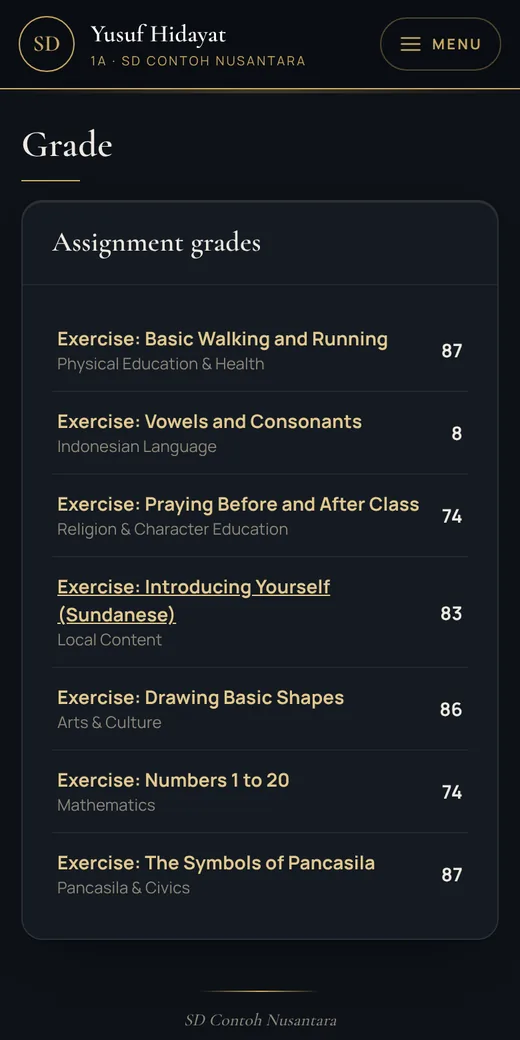
Your child's grades on the phone
Your child's homework on the phone
07 — Flash Quiz & Wall of Fame

A love of learning that grows from pride.

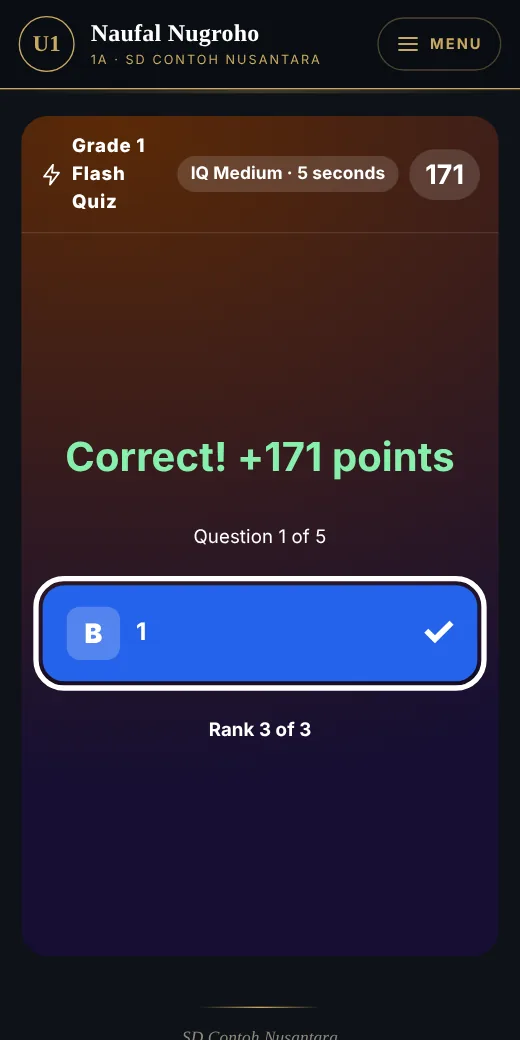
  • Your child joins Flash Quizzes from their phone — random questions, answered in seconds
  • There is a Music Quiz too: guessing folk songs, genres & instruments
  • Class Stars and quiz winners appear on the school's Wall of Fame
  • Your child's achievements are recorded and can go on the report card
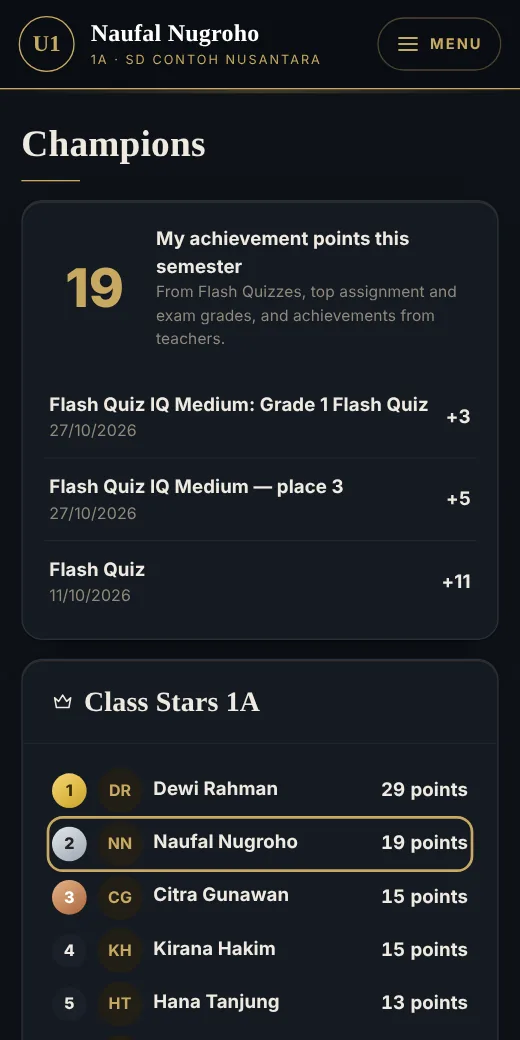
Wall of Fame on a parent's phone
Your child's Flash Quiz results
08 — Disaster Readiness

Children trained to face fires and earthquakes.

  • Regular evacuation drills; announced dates appear on your phone
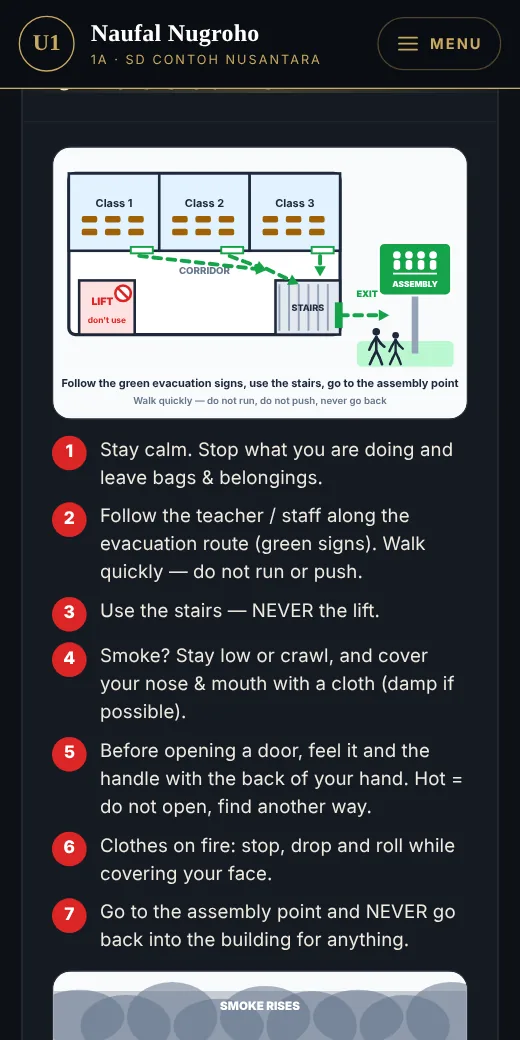
  • During an alarm, your child's phone shows the evacuation steps and assembly point
  • You see whether your child is safe at the assembly point
  • Illustrated guides to study together at home
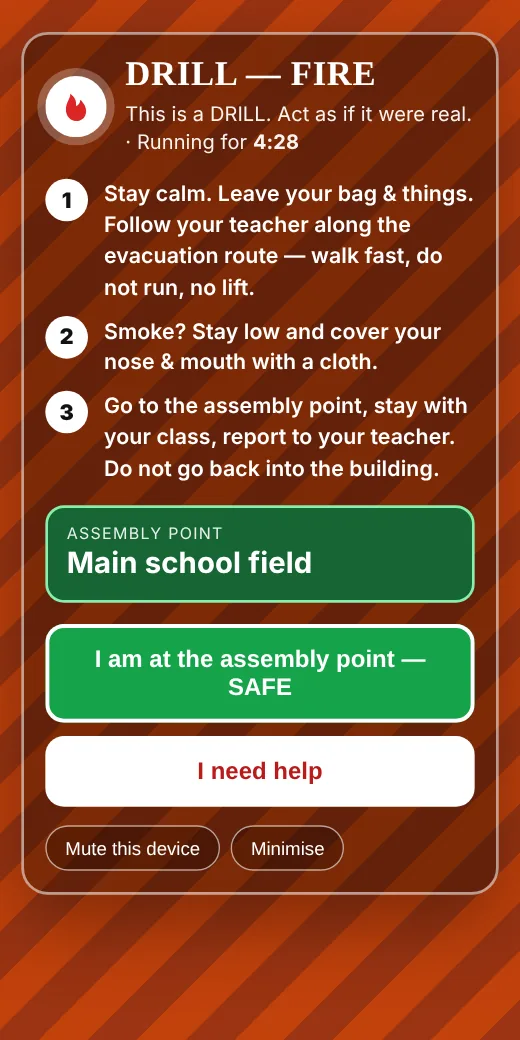
General Alarm on a student phone
Illustrated evacuation guide
09 — Timetable & school news

No more announcements lost in a busy group chat.

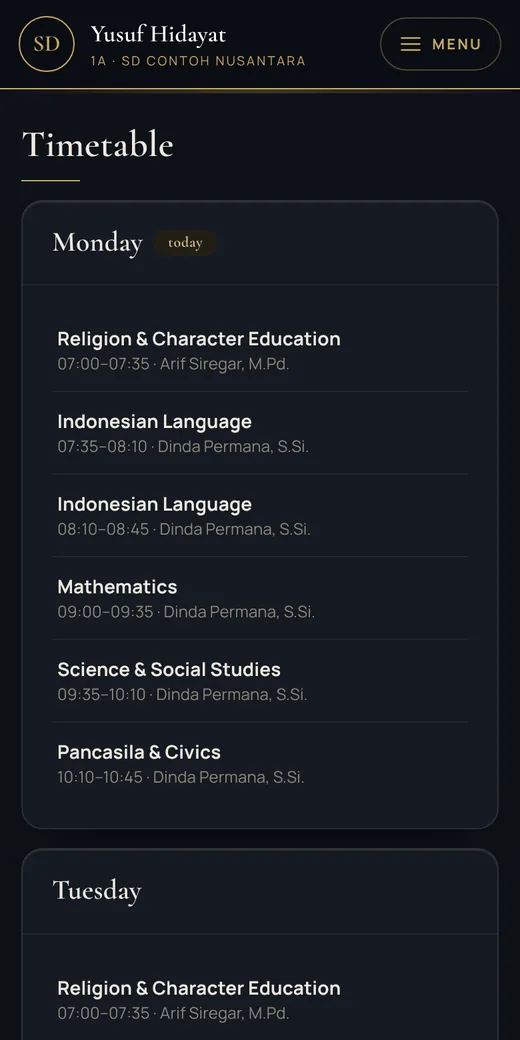
  • Today's timetable and your child's teachers, with their photos
  • Class activities and school announcements in one place
  • Important news can also reach your WhatsApp
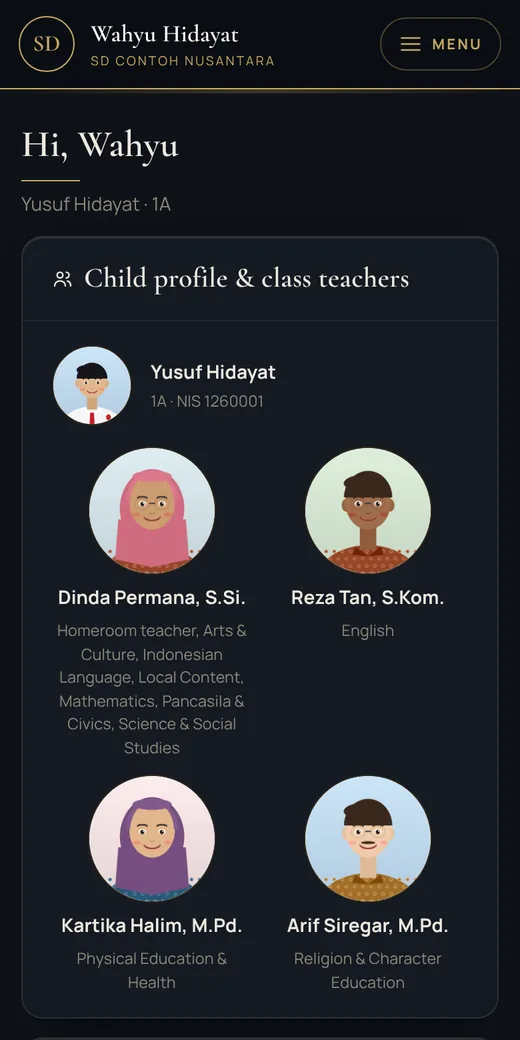
Parent home screen
Class timetable
10 — Billing & payment

Clear bills, paid in a minute, with a receipt every time.

  • Every bill in one list: tuition, activities, books and uniforms
  • Pay by QRIS, virtual account or e-wallet, marked paid straight away
  • Complete payment history, no more doubt about what has been paid
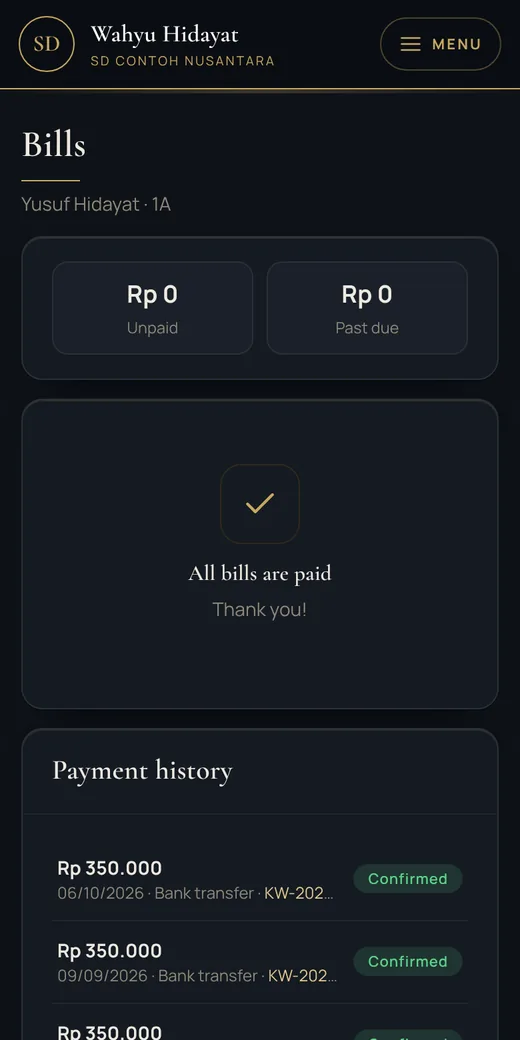
Fees on the parent's phone
11 — Talk to the school

A direct line to the school when you need it.

  • Send sick or leave notes, and see when they are approved
  • Feedback and complaints go straight to the school
  • Counselling notes are confidential, read only by the school counsellor
  • See your child's conduct points and achievements
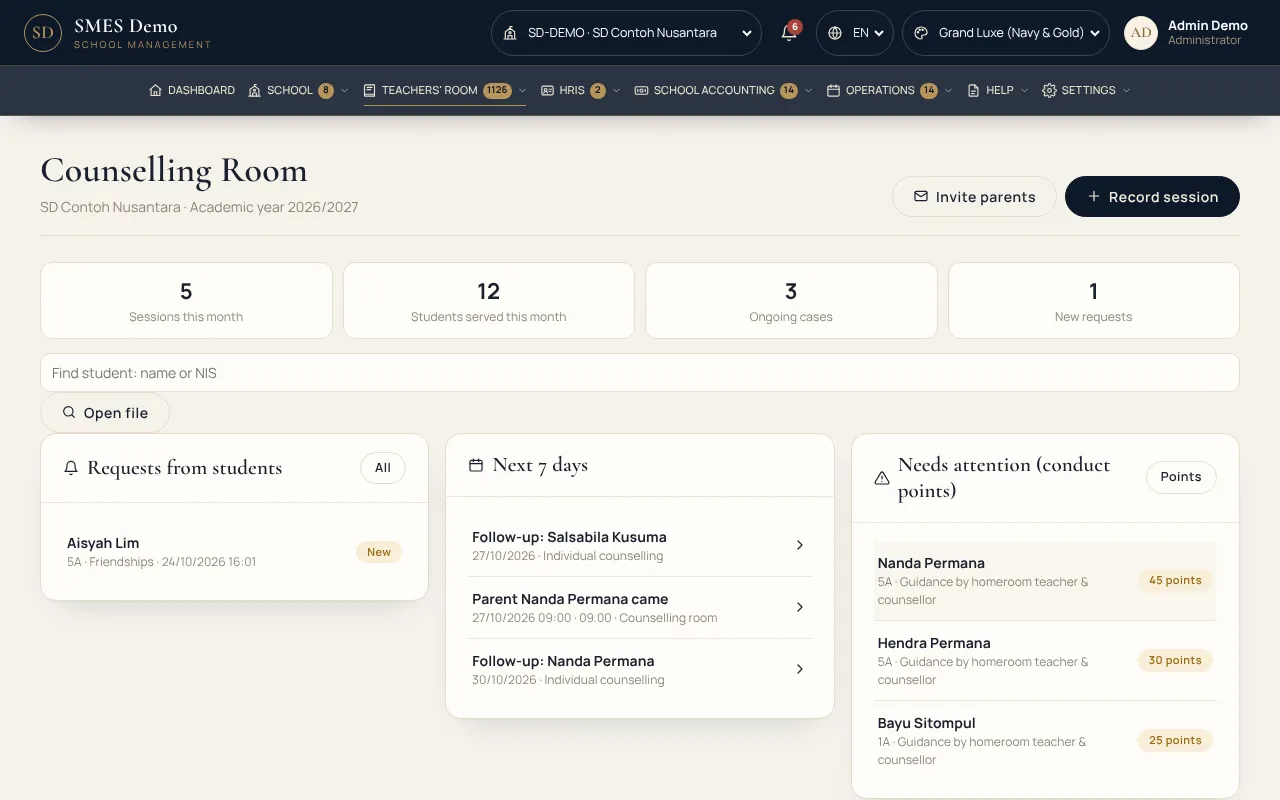
school.ajcorp.id/counselling
School counselling room
12 — Your family's data

Your child's information is only for the people who should see it.

  • Only you see your child's grades and bills, never other parents
  • Teachers only open the classes they teach
  • Protected by AJ-Corp Shield, ten layers of security guarding the server around the clock
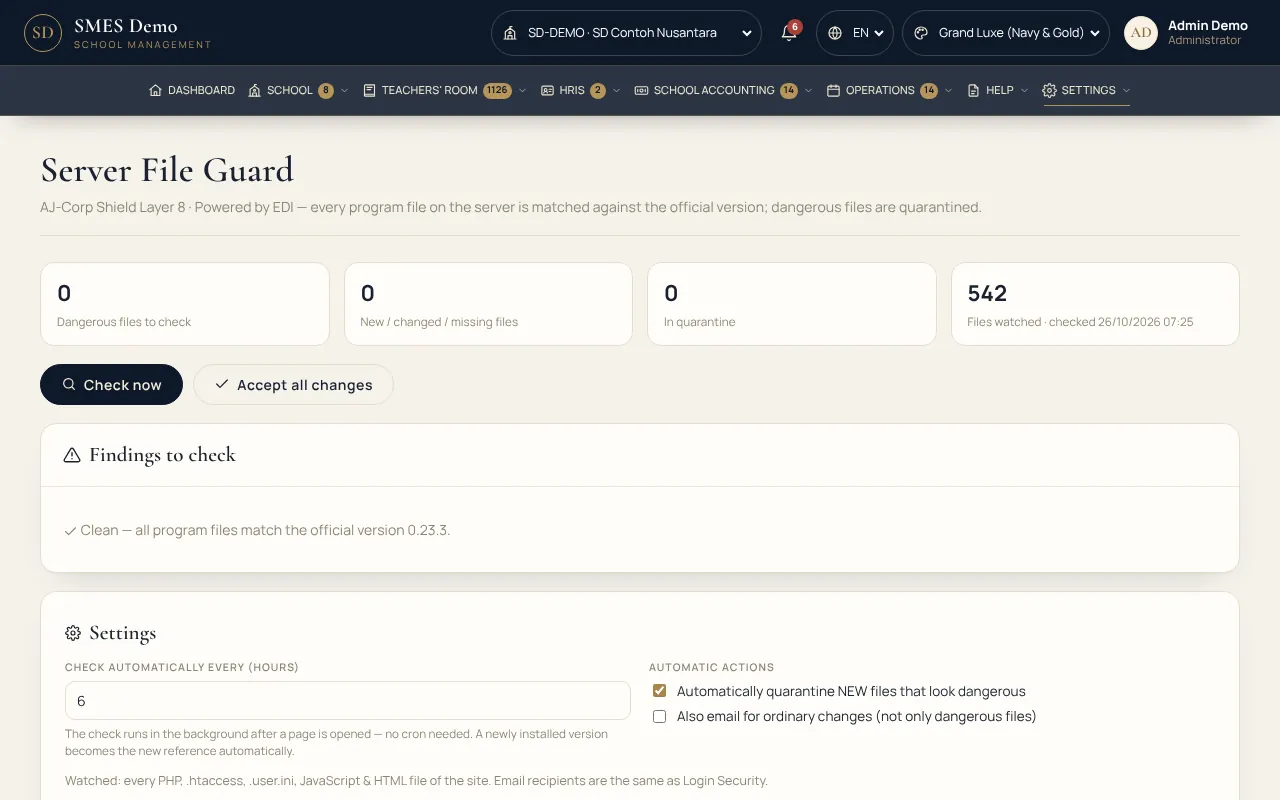
school.ajcorp.id/guard
AJ-Corp Shield server guard
13 — Simple for every family

One account for all your children. Nothing to install.

Just open it in your phone's browser and sign in. Siblings in different classes or schools in the same foundation are on the same account.

1account for all your children at the school
0apps to install
24/7access to grades, bills and news
2languages: Indonesian and English
Selfie check-in Grades & report cards Pay fees School news Leave & sick notes Enrolment for younger siblings

Bring SMES to your child's school.

Parents are often the first to ask for it. Three steps and your family is connected.

  1. Ask the schoolMention SMES to the principal, the homeroom teacher or the school committee.
  2. The school contacts AJ-CorpOur team sets everything up and trains the teachers. The school then sends a QR invitation letter to every parent.
  3. Scan the QR, tap agreeYour parent account is active on your phone right away. Follow your child's school day.

See other presentations →