School administration in one system. Teachers get back to teaching.
SMES connects the foundation, principals, HRIS, School Accounting, teachers, students and parents — from selfie attendance, timetables and report cards to payroll, tuition invoices and bookkeeping. On laptop and phone, with no app to install.
36 modules in one system5 portals: admin, teacher, student, parent & admissionsTK – SMA/SMK one foundation, many schoolsID · EN Bahasa Indonesia & English
Problems & solutions
What schools struggle with — and the answers.
For principals & teachers
ProblemTeachers & homeroom teachers buried in admin work
SMES solutionClassroom & Teacher Phone: attendance, class activities & announcements on one page; automatic report cards
ProblemNo idea who has not arrived this morning
SMES solutionStudent selfie check-in from a phone within the school radius; parents are alerted straight away
ProblemTuition in arrears & hard to track
SMES solutionAutomatic bills per class, parents view & pay from their phone
ProblemParents asking through teachers' private chats
SMES solutionParent Portal: attendance, grades, bills, leave & school news
ProblemAdmissions queues & paper files
SMES solutionOnline admissions form with document upload, applicant number + PIN
For foundations with several schools
ProblemEach school uses its own methods & files
SMES solutionOne foundation, many schools (kindergarten to senior/vocational high) in one system
ProblemStaff accounts & access rights set up one by one
SMES solutionHRIS: new staff get an account & position right away; teachers open only their assigned classes
ProblemFinancial reports assembled by hand every month end
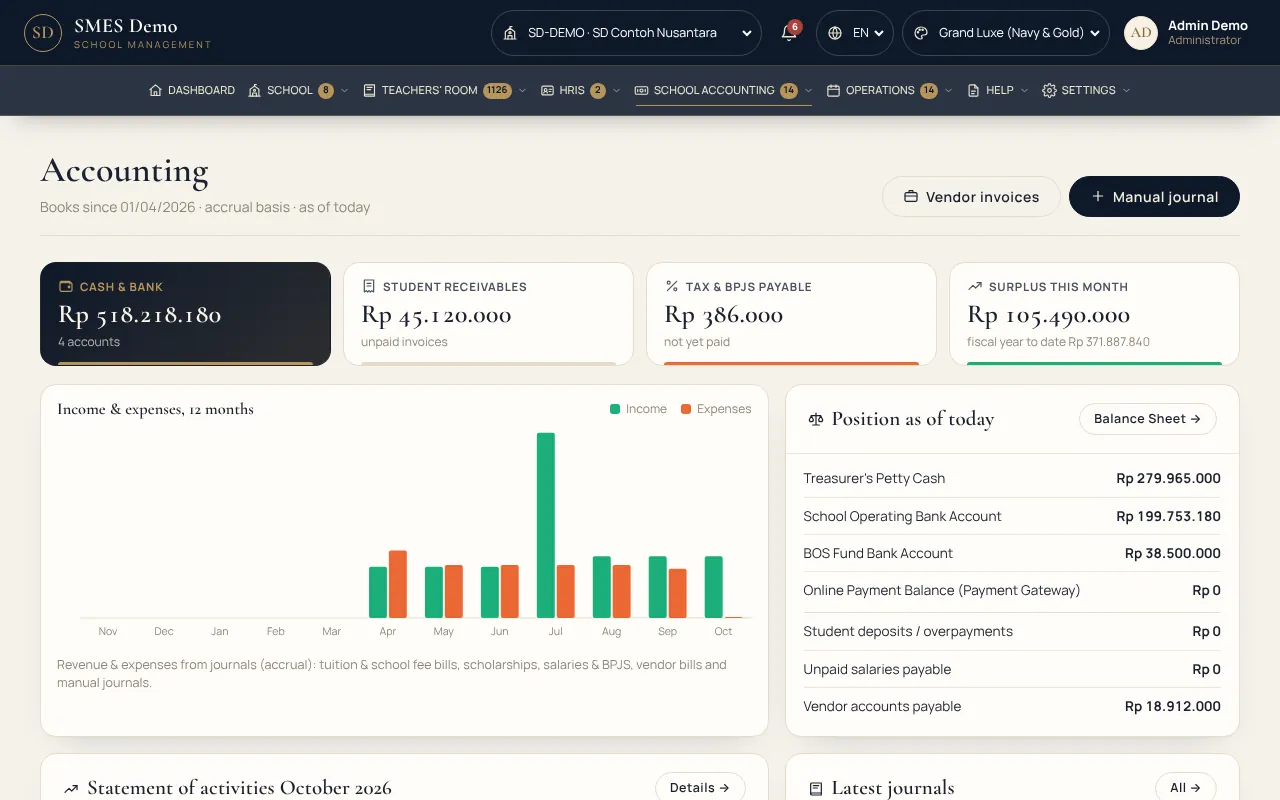
SMES solutionSchool Accounting: automatic journals from invoices, payments & payroll — financial figures only for the finance office
ProblemTeacher salaries & income tax calculated in Excel
SMES solutionPayslips with PPh 21 (TER) & BPJS from teacher & staff attendance
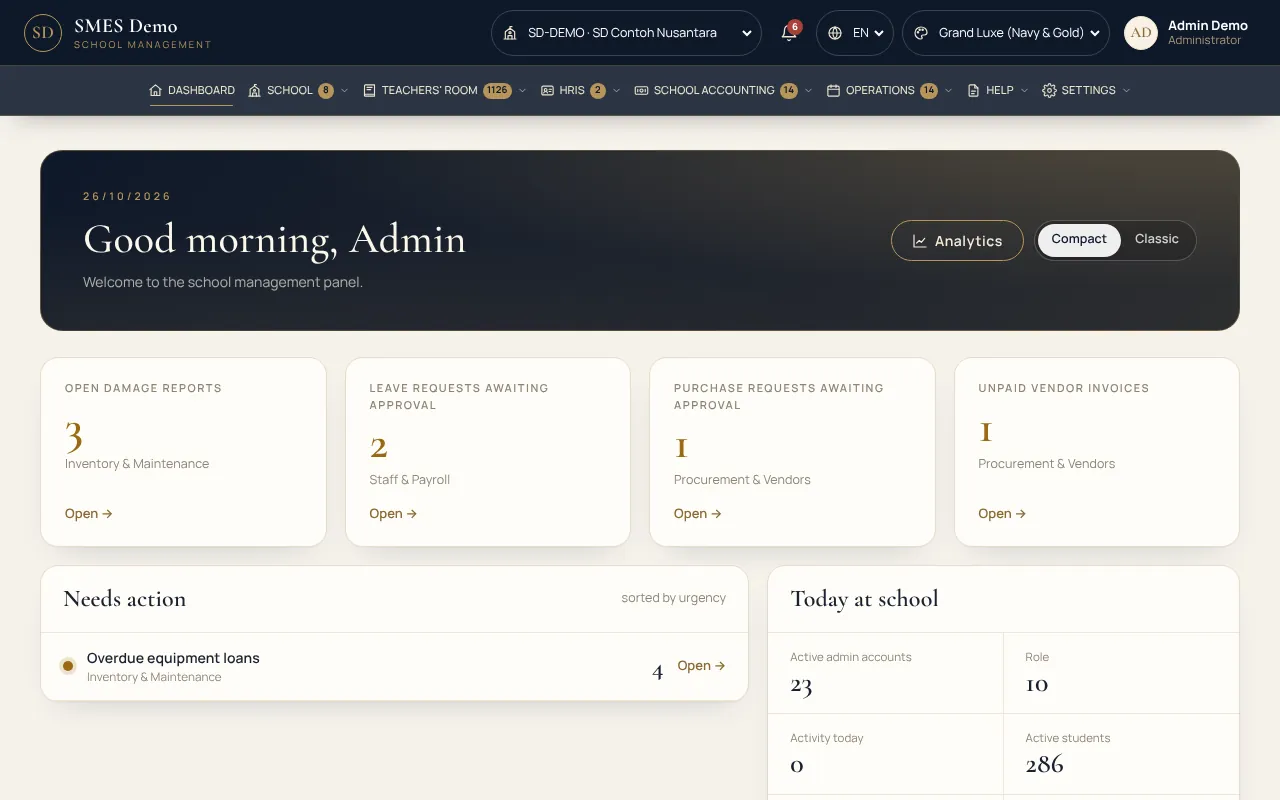
ProblemLeaders struggle to see how every school is doing
SMES solutionAnalytics: attendance, grades, revenue, arrears & students who need attention
For every role
Everyone at school has their own space.
Access follows each position set in HRIS. Teachers open only the classes they are assigned, and financial figures are visible only to School Accounting.
Principal & FoundationDashboard, analytics, approvals & reports for every school in the foundation.
TeachersClassroom & Teacher Phone: attendance, grades, assignments, activities & announcements — only for assigned classes. Cannot see the school's financial figures, other classes, or anyone else's payslip.
School AccountingInvoices, payments, journals, balance sheets & financial reports for the school and foundation. The only office that sees income & expense figures.
Students & ParentsA phone portal: selfie check-in, timetable, assignments, grades, bills, leave & school news — plus the inter-school Champions League, chess & Champions Arena.
Real screens
Real system screens — not mockups.
Taken from the demo site with two sample (fictional) schools — a primary and a junior high school.
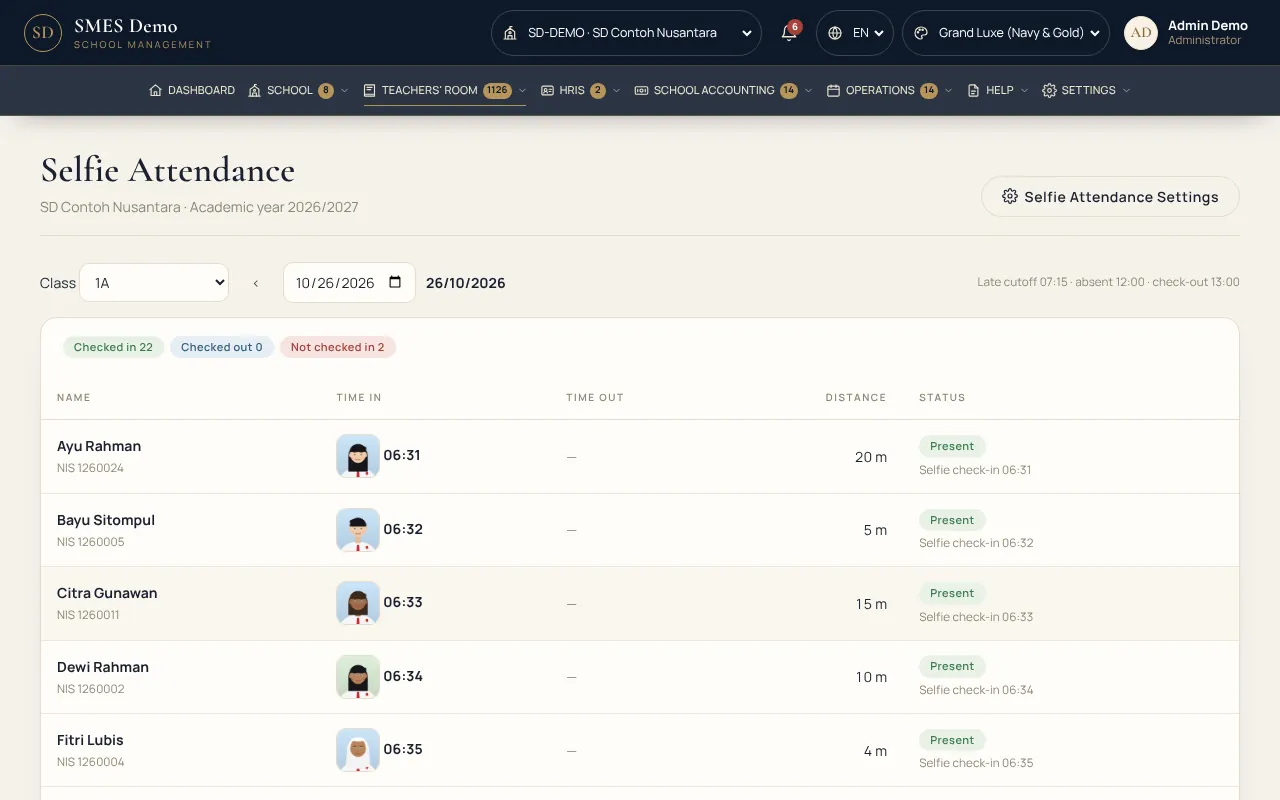
Selfie attendance
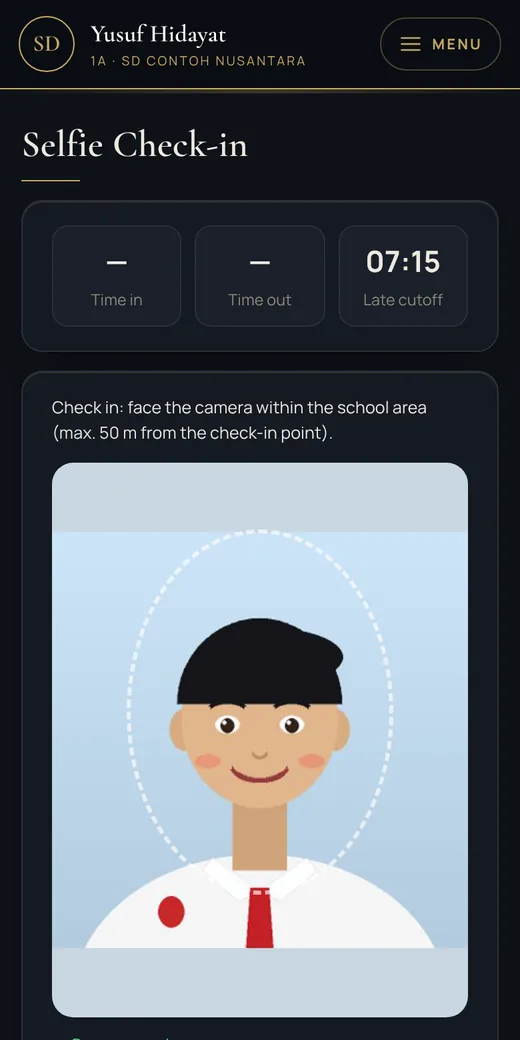
Students check in from their phone — only on school grounds.
Face photo + GPS location within the radius of the school point the admin sets on a map (e.g. 50 m)
Arrival & departure; late and unexcused absences recorded automatically
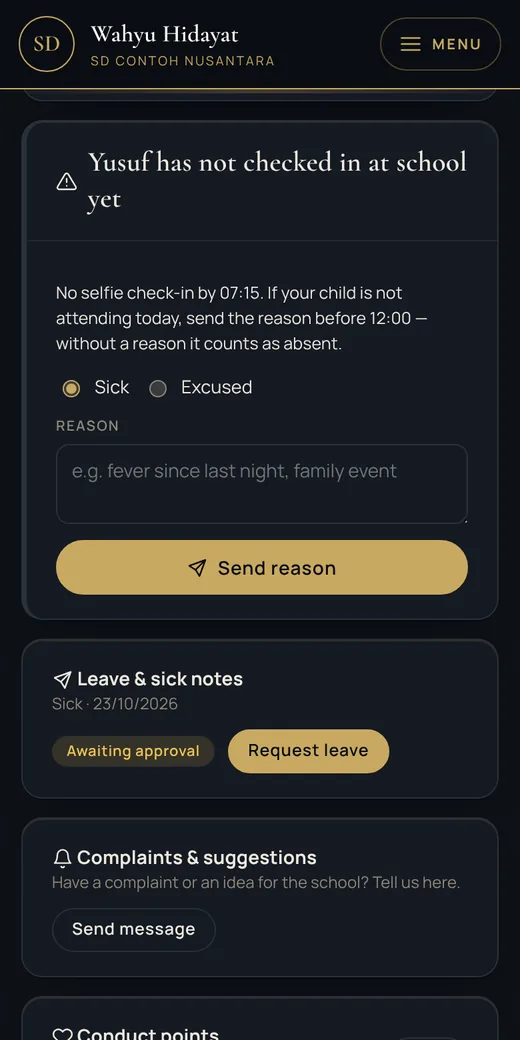
Parents are alerted when their child has not checked in and can send a reason
school.ajcorp.id/attendance/selfie
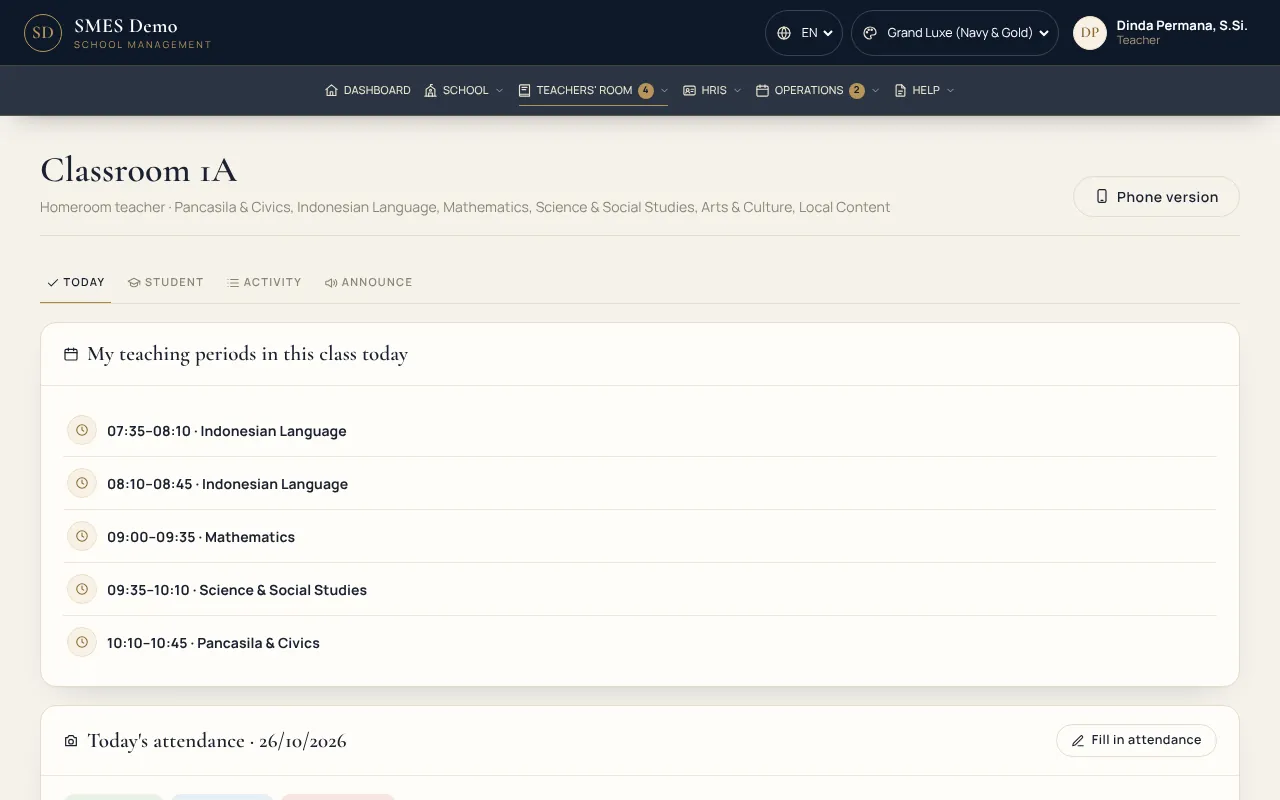
Classroom & Teacher Phone
One page to run a class and its students.
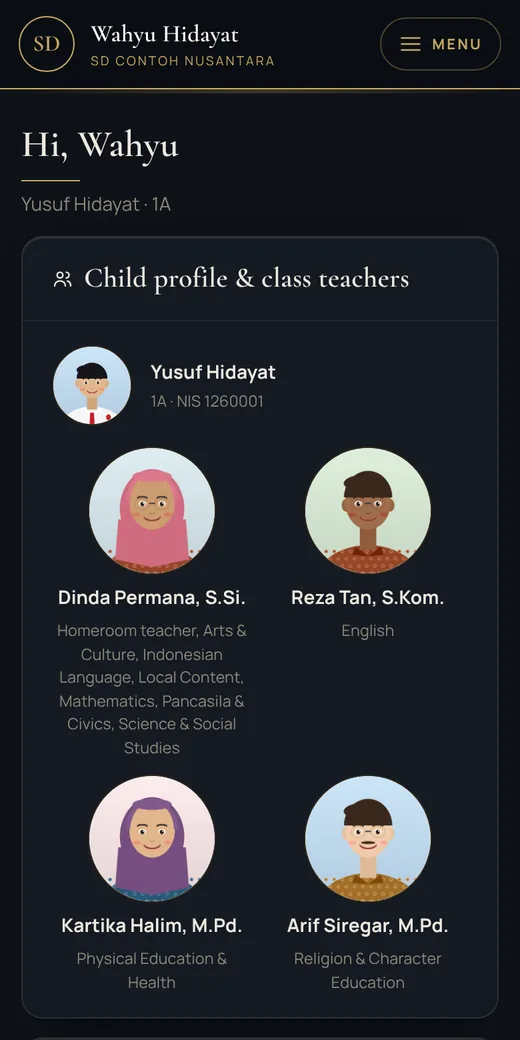
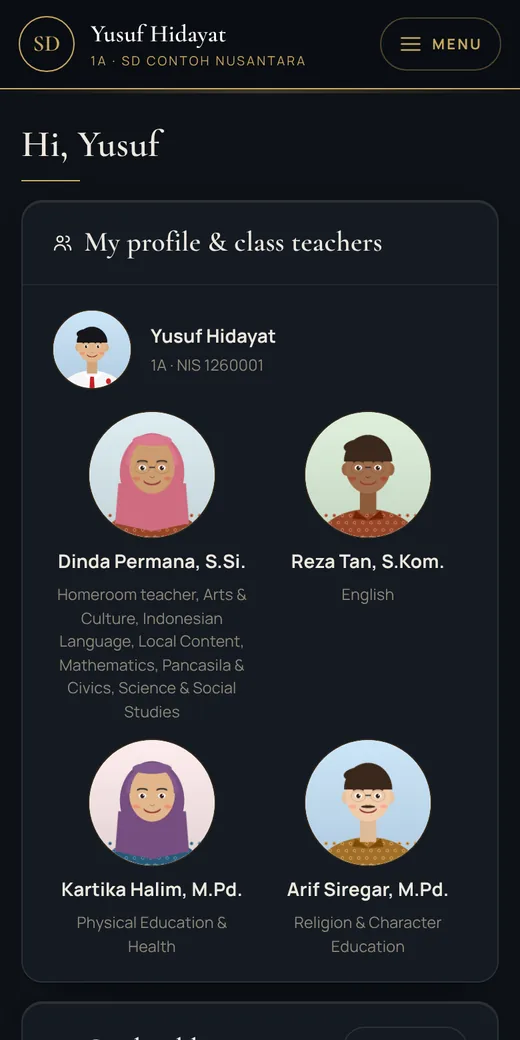
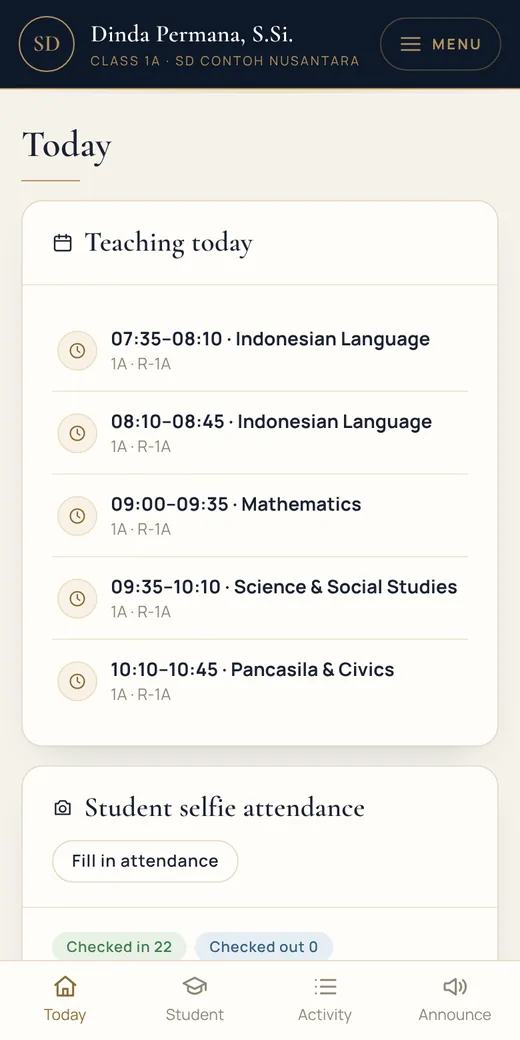
Teaching hours, today's attendance, students with photos & their class teachers
Class activities & announcements to students' phones, parents' phones and the website
Teachers open only the classes they are assigned — the 1A class teacher cannot see class 1B
school.ajcorp.id/portal/classroom
HRIS — teachers & staff
Organised staffing, with access that follows each position.
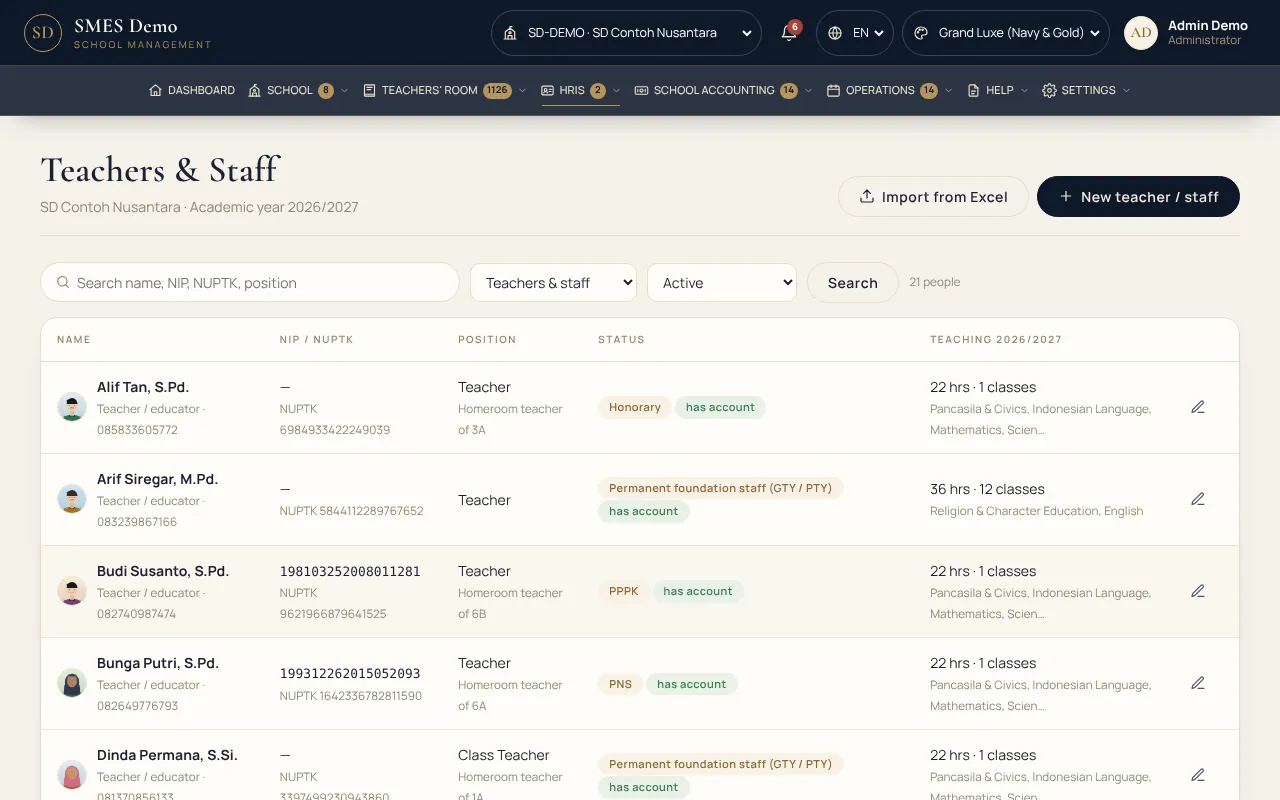
New staff get an account & position right away, and their name appears under Roles & Access
Class assignments: homeroom teachers, class teachers & subject teachers
Staff attendance, leave, payslips with PPh 21 income tax (TER) & BPJS
Document upload, registration number + PIN to follow results
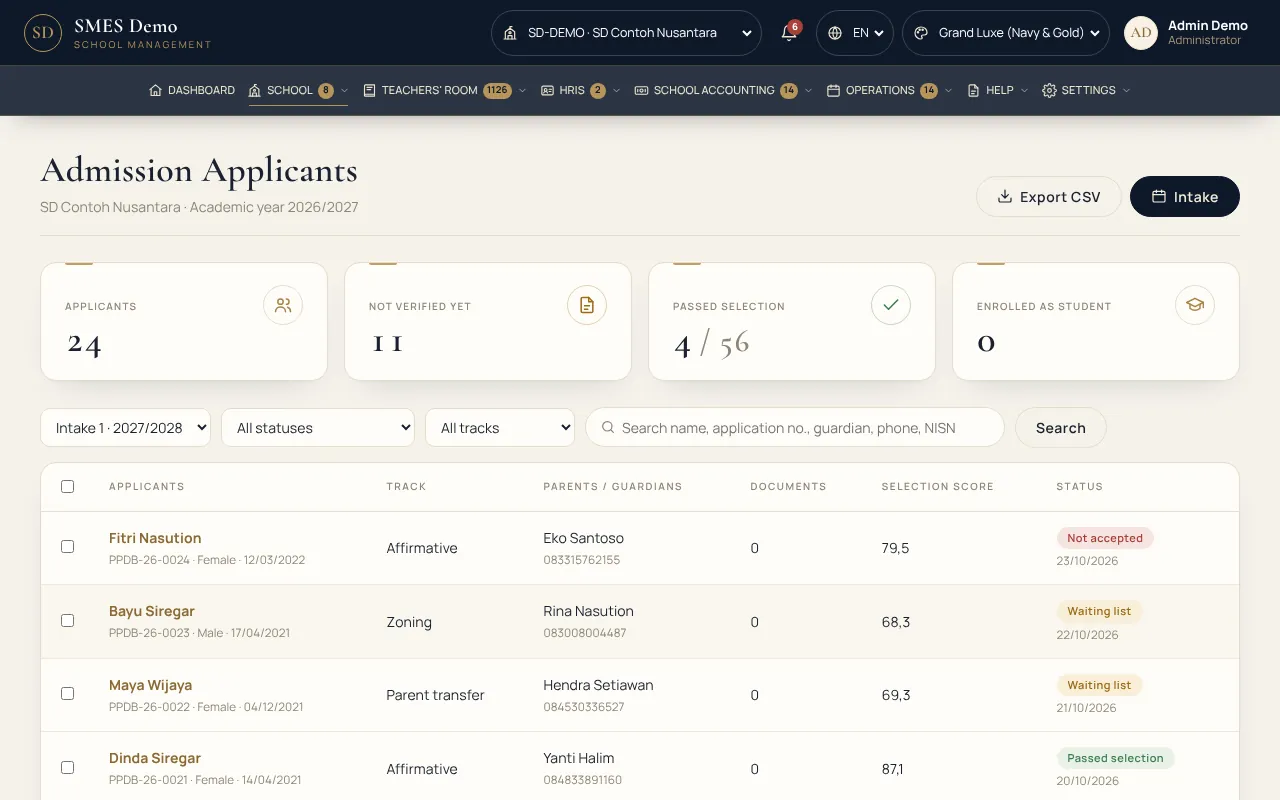
Accepted applicants become student records directly
school.ajcorp.id/admissions
Modules
36 modules, one system
Start with what your school needs today; other modules can be added any time without switching systems.
School & Master Data4
Schools & AcademicsOne foundation, many schools (kindergarten to senior/vocational high): academic years, semesters, classes, homeroom teachers & subjects.
Students & GuardiansStudent master data with photos, parents / guardians for several children, class placement, transfers, import from Excel.
New Student Admissions (PPDB)Intakes, quotas & pathways, phone form with document upload, applicant number + PIN.
Letters & GraduationCertificates & graduation letters on letterhead from student data, automatic letter numbers.
Teachers' Room12
Classroom & Teacher PhoneOne page per class for teachers: today's attendance, the student list, class activities & announcements to students' phones, parents' phones and the website.
Student & Selfie AttendanceStudents check in with a selfie from their phone within the school radius (GPS map), arrival & departure; late & unexcused marked automatically, and parents are alerted.
TimetableWeekly timetable per class, teacher-clash warnings, teaching schedule per teacher.
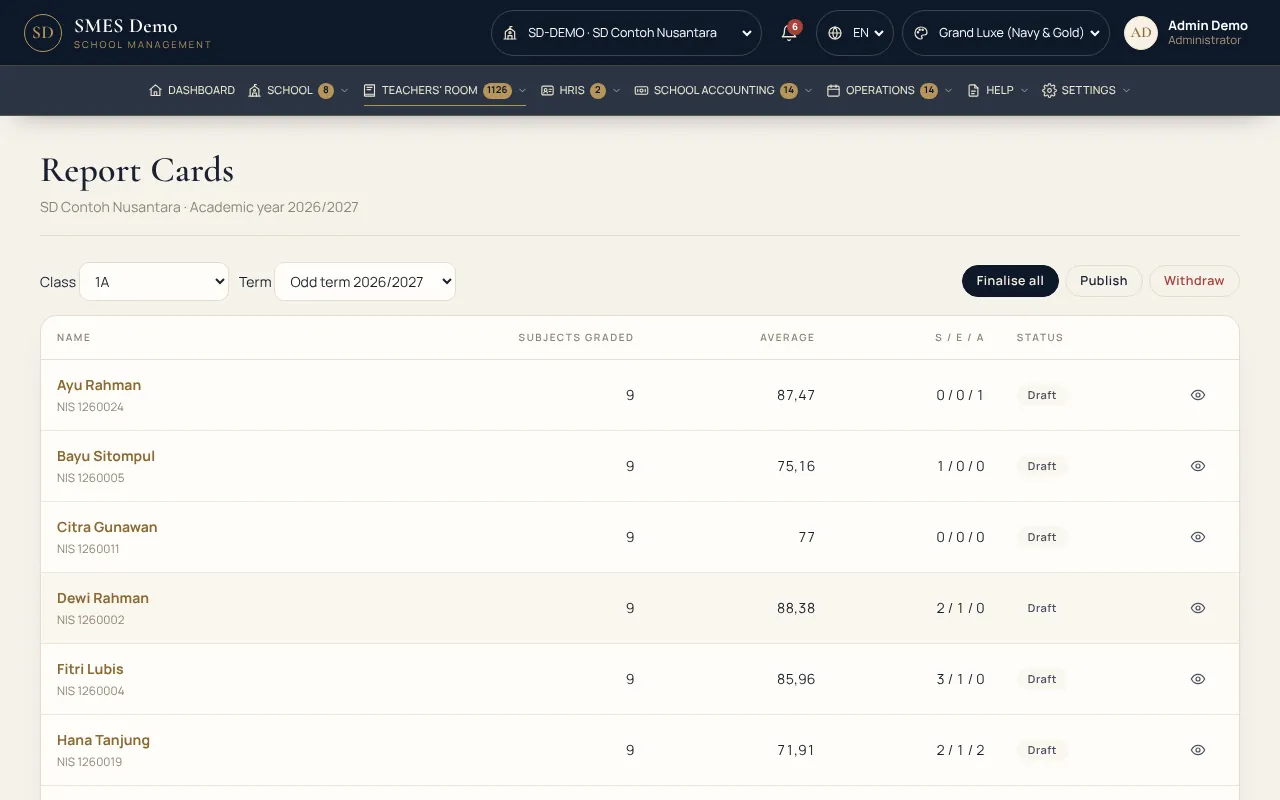
Grades & Report CardsWeighted grading, minimum passing scores & remedials, automatic report cards published to parents.
Materials & AssignmentsOnline classes: materials, class announcements, assignments with deadlines & teacher marking, print-ready grade reports.
Flash Quiz & Wall of FameGame-style quizzes from the question bank (10 / 5 / 3 seconds) and Music Quizzes (guess the song, genre & instrument), contests between classes of the same grade, Class Stars & a Wall of Fame on the website and parents' phones.
Champions League, Chess & Champions ArenaAdd-on: a weekly inter-school quiz across Indonesia & a Teachers' League, chess against EDI at 4 levels & an online Glicko-2 tournament, plus the Champions Arena — 7 educational games with a weekly inter-school league.
Online Leave & Sick NotesParents request leave with a photo of the doctor's note; attendance fills in automatically.
Guidance & CounsellingCounselling notes read only by counsellors, conduct & achievement points.
School LibraryBarcoded catalogue & copies, borrow & return with a scan, automatic fines.
Digital LibraryOfficial SIBI textbooks (Kurikulum Merdeka & K-13) read directly on the student's phone.
HRIS — Teachers & Staff2
Teachers & StaffStaff records with photos and NIP / NUPTK numbers; new staff get an account & position right away, and their name appears under Roles & Access. Class assignments (homeroom, class teacher, subject teacher).
HR & PayrollTeacher & staff attendance, leave, payslips with PPh 21 income tax (TER) & BPJS — each payslip is visible only to its owner.
School Accounting3
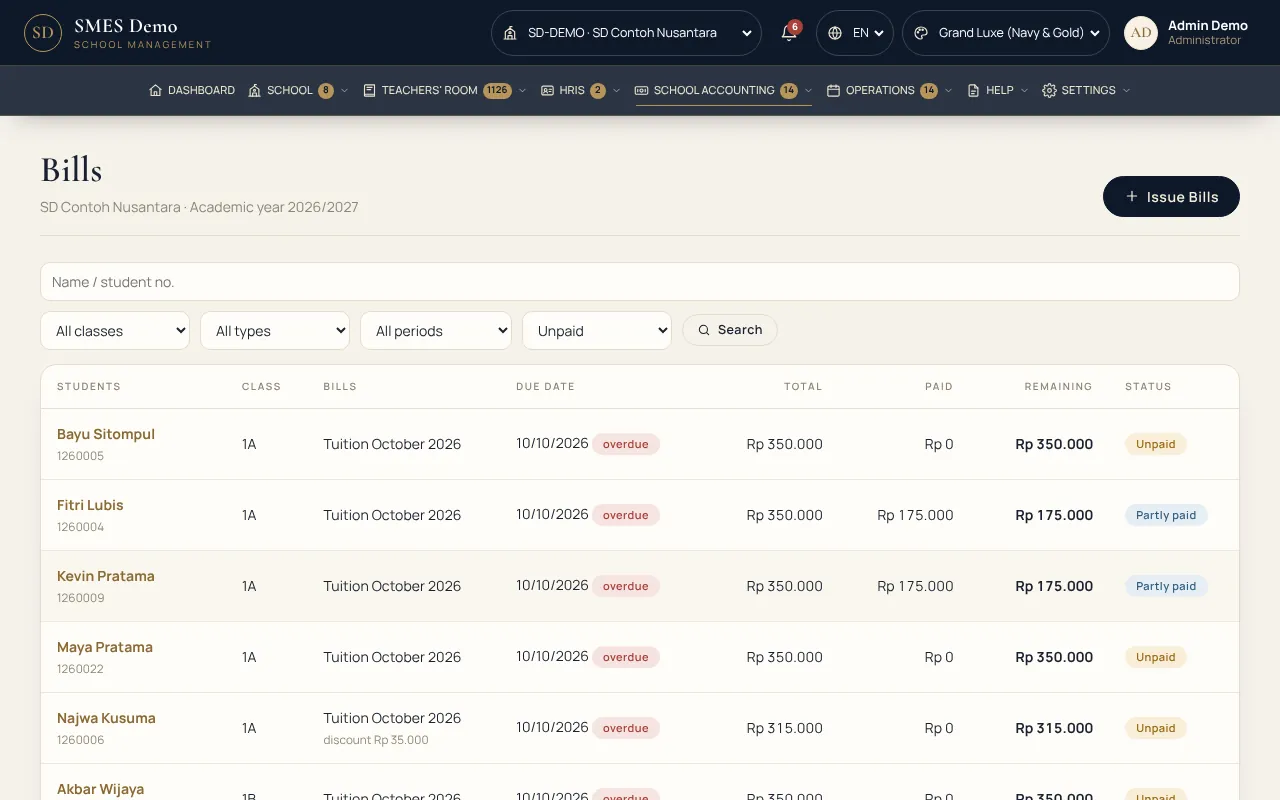
Billing & PaymentTuition & other fees per grade, discounts & scholarships, transfer verification, receipts on letterhead.
Online PaymentQRIS, virtual account & e-wallet via Midtrans, Xendit or Tripay — settled automatically.
School AccountingAutomatic accrual journals, general ledger, balance sheet, activity & cash-flow reports.
Operations & Services10
School Clinic & HealthClinic visits, medicines & stock, regular check-ups, updates to parents.
Security & Pick-upVisitor log, student exit permits, list of authorised pick-ups per student.
Canteen & CateringDaily menu in the portal, lunch subscriptions, allergy notes.
School TransportVehicles, routes & passengers, daily trip logs, monthly billing.
Activities & ExtracurricularsSchool calendar and extracurriculars with supervisors, quotas & practice / match schedules on students' phones.
Facility BookingHall, lab, field & meeting room with automatic clash checks.
Disaster Readiness & General AlarmFire & earthquake drills (SPAB): General Alarm on every portal laptop & phone, students report safe, student headcount, evaluation report.
School AnalyticsAttendance, grades, assignments, revenue & arrears; students who need attention.
Portals & Communication5
Student PortalSign in with student ID + PIN: today's timetable, selfie check-in, assignments, materials, grades, profile & class teachers.
Parent PortalOne account for all children: attendance, not-yet-at-school alerts, grades, bills, sick notes & school news. Schools may offer it free or set a monthly service fee.
SMES InvitationsQR invitation letters / cards with the school logo, a Parent Portal presentation in the school's name, one agree button, and permission for the child's location when absent (parents' choice).
Announcements & NewsFor staff, students & parents — per school or per class, with read statistics.
WhatsApp & Email NotificationsPortal updates also go to parents' WhatsApp (Fonnte / Wablas) & email.
Consent & ComplaintsOnline consent for study tours / photo publication, complaints & suggestions box.
School WebsiteOfficial foundation & school website: profile, news, events, admissions info.
On students', parents' & teachers' phones
The school in the family's hand
Students sign in with NIS + PIN, parents with one account for all their children. Just open it in the phone's browser — no app to install.
Student PortalProfile & class teachers, timetable, assignments, grades & attendance.
Selfie check-inFace photo + location, only on school grounds.
Parent alertChild not in yet? Parents send a reason from their phone.
Teacher PhoneTeaching hours, attendance & class activities.
Student data is safe
Children's data is a trust — we guard it in layers.
Guarded by the same ten layers of AJ-Corp Shield as our hotel & property systems.
Digitally signed licenceOnly genuine AJ-Corp systems can run
Locked core codeCannot be changed silently
Tamper detectionChanges to program files are caught immediately
Upload file scannerAdmissions documents & assignments checked before saving
Login guardPassword-guessing attempts are blocked
Server file guardDangerous files quarantined automatically
Role-based accessTeachers, homeroom teachers, admin, counsellors & leaders see only their part
Activity logWho changed what & when — recorded
How to start
From consultation to a running school.
Consultation & demoWatch the presentation, try the demo, then tell our team what your school needs.
Choose a packageChoose a package by number of schools & modules needed. Add-ons can be added later.
Import dataSchools, classes, students, guardians & teachers from Excel / CSV — problem rows are shown.
School up and runningStep-by-step guides are inside the system; student PINs & parent accounts are handed out per class.